Acting
Acting Resume Template
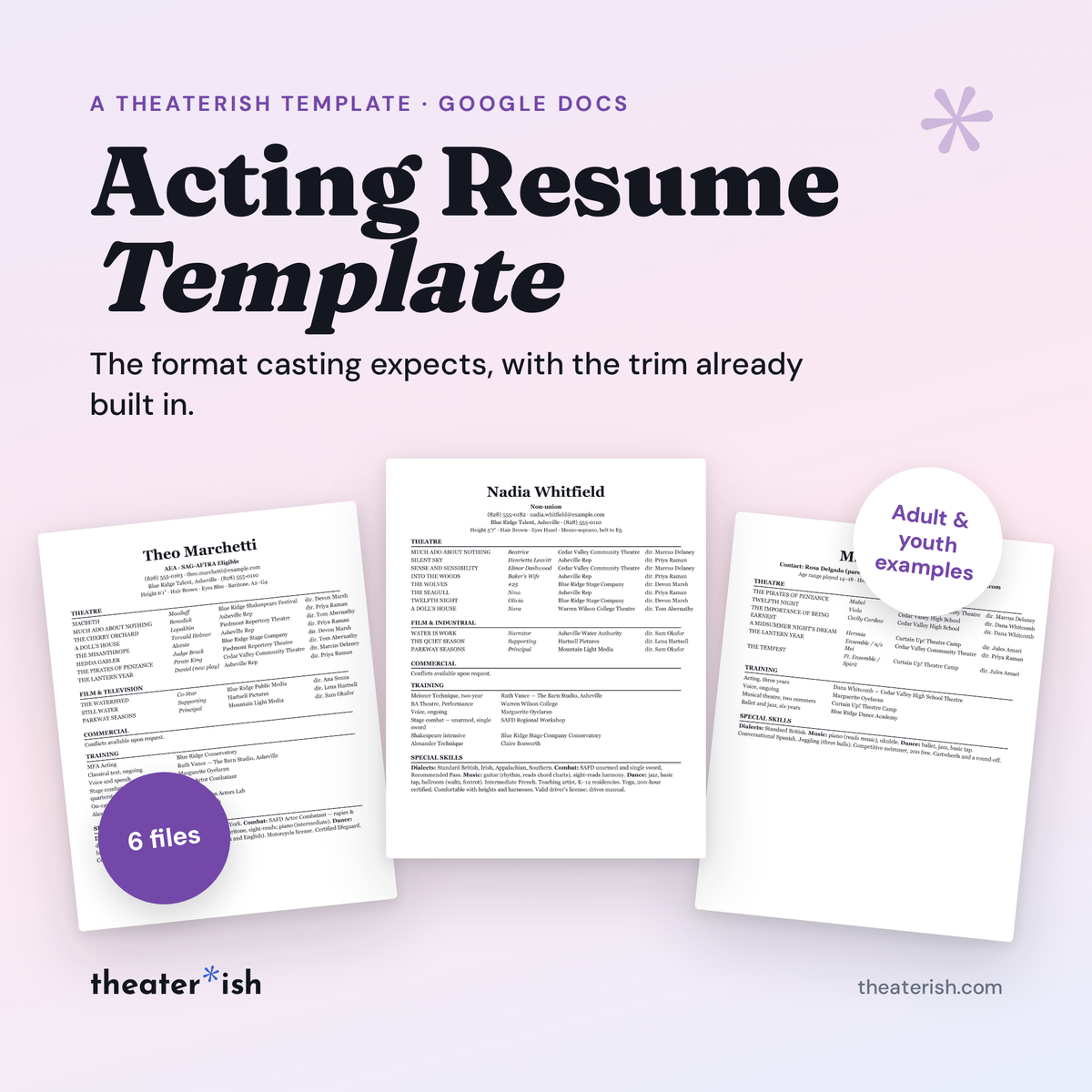
The acting resume in the format casting expects, with the margins set for the 8 x 10 trim. A blank, three filled-in examples, a youth version, and a bonus special-skills list, all in Google Docs.
What's inside
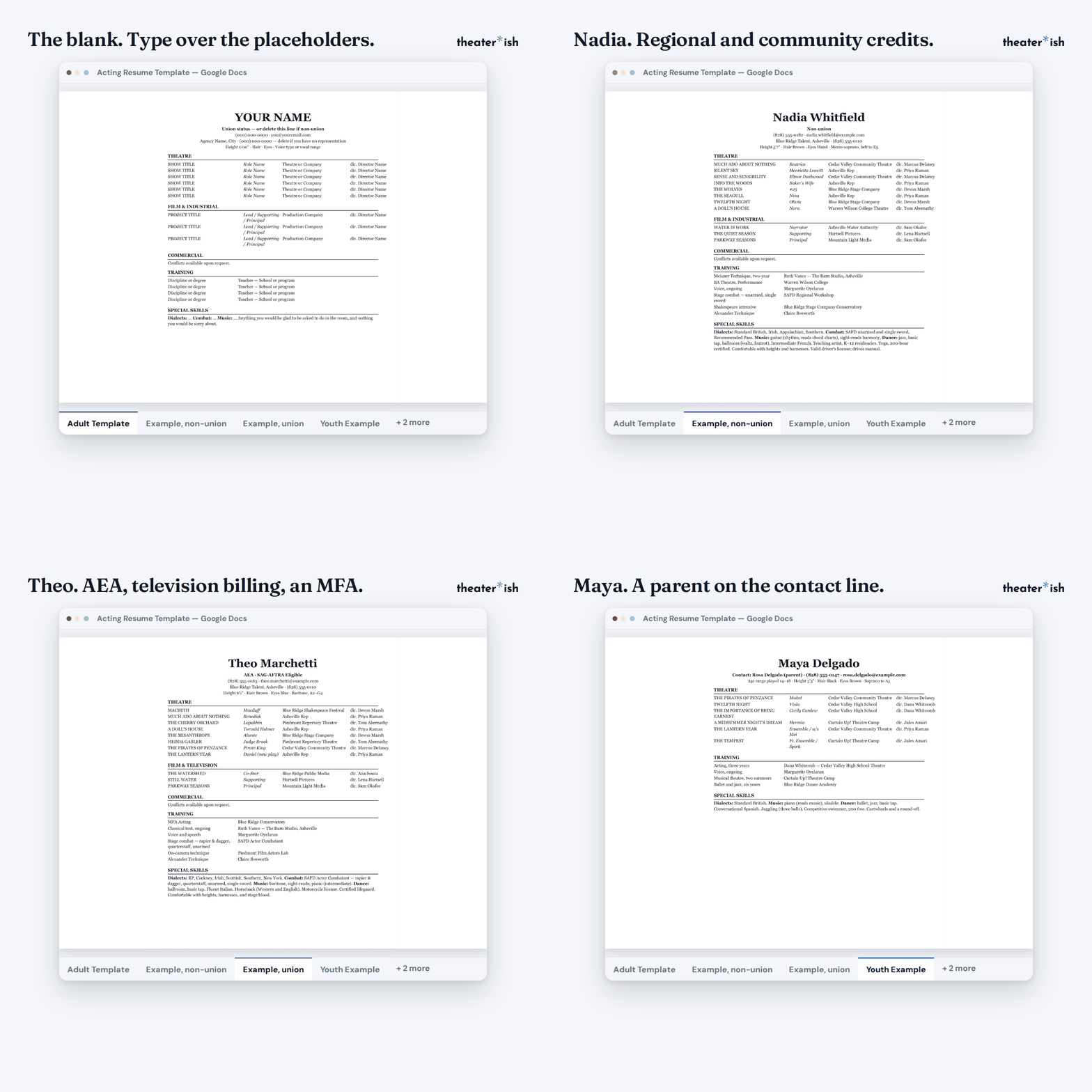
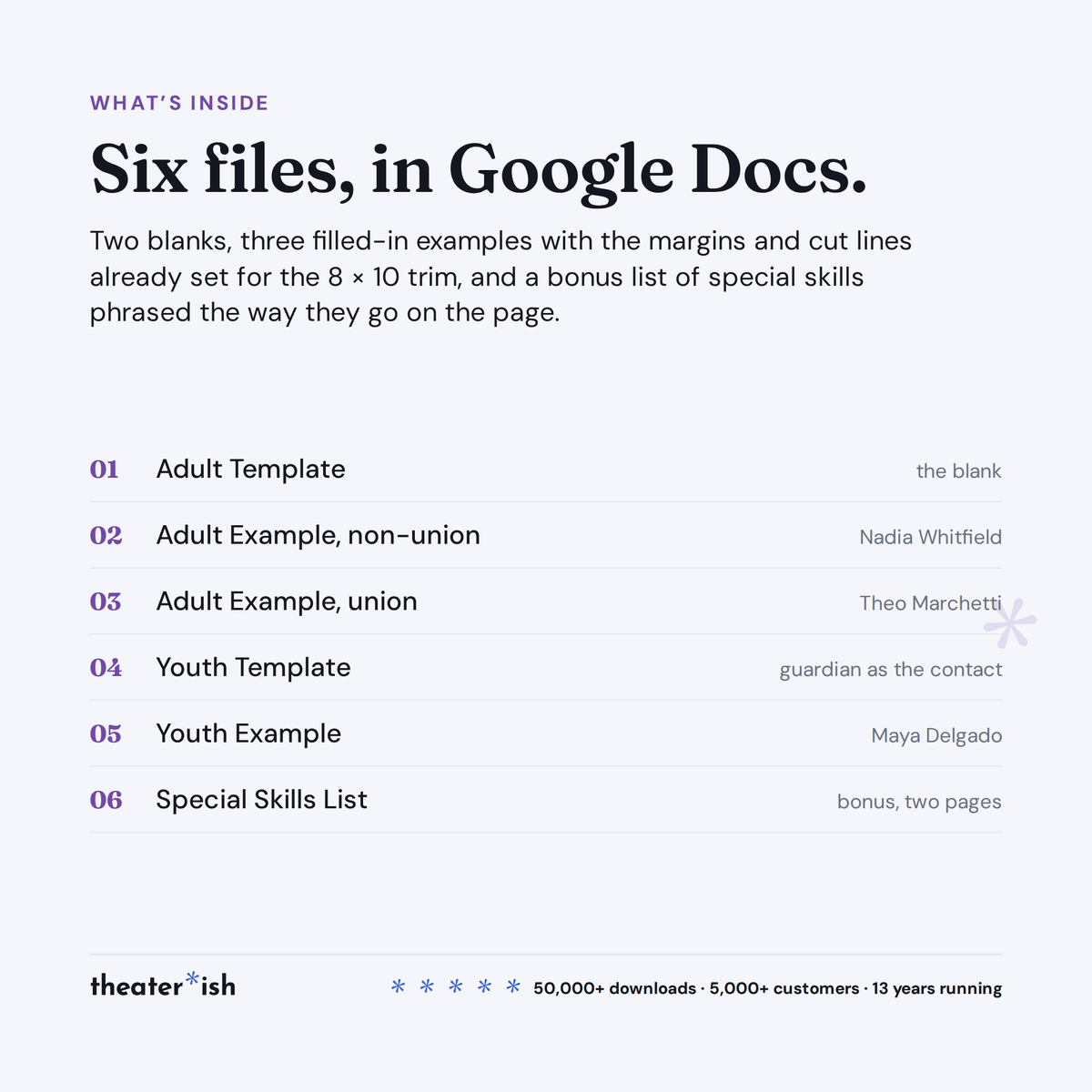
- Adult Template — the blank, placeholders where your details go
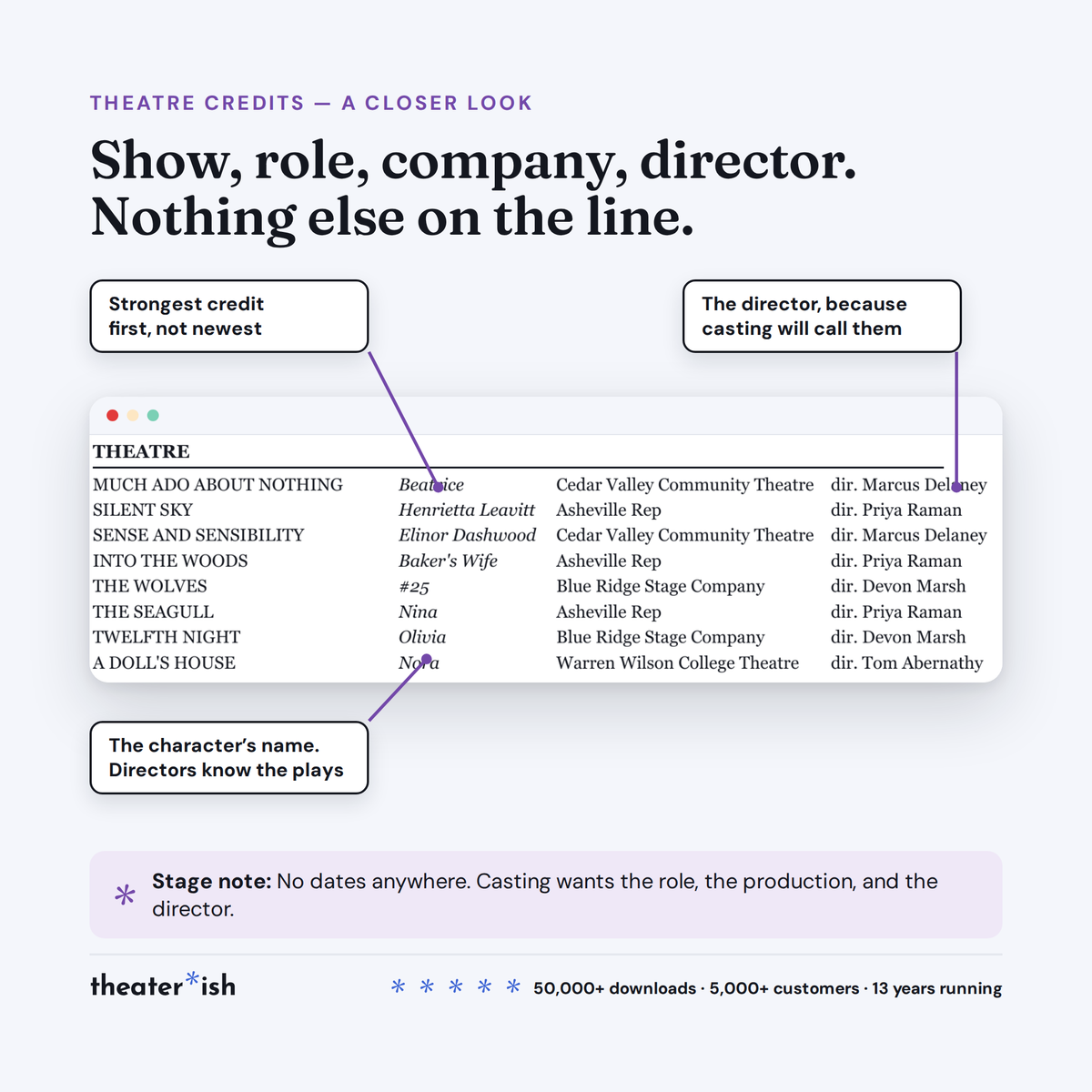
- Adult Example, non-union — Nadia Whitfield, eight theatre credits
- Adult Example, union — Theo Marchetti, AEA, television billing
- Youth Template — a guardian or teacher as the contact
- Youth Example — Maya Delgado, school, camp, and community credits
- Special Skills List — bonus, two pages of entries and the test for each
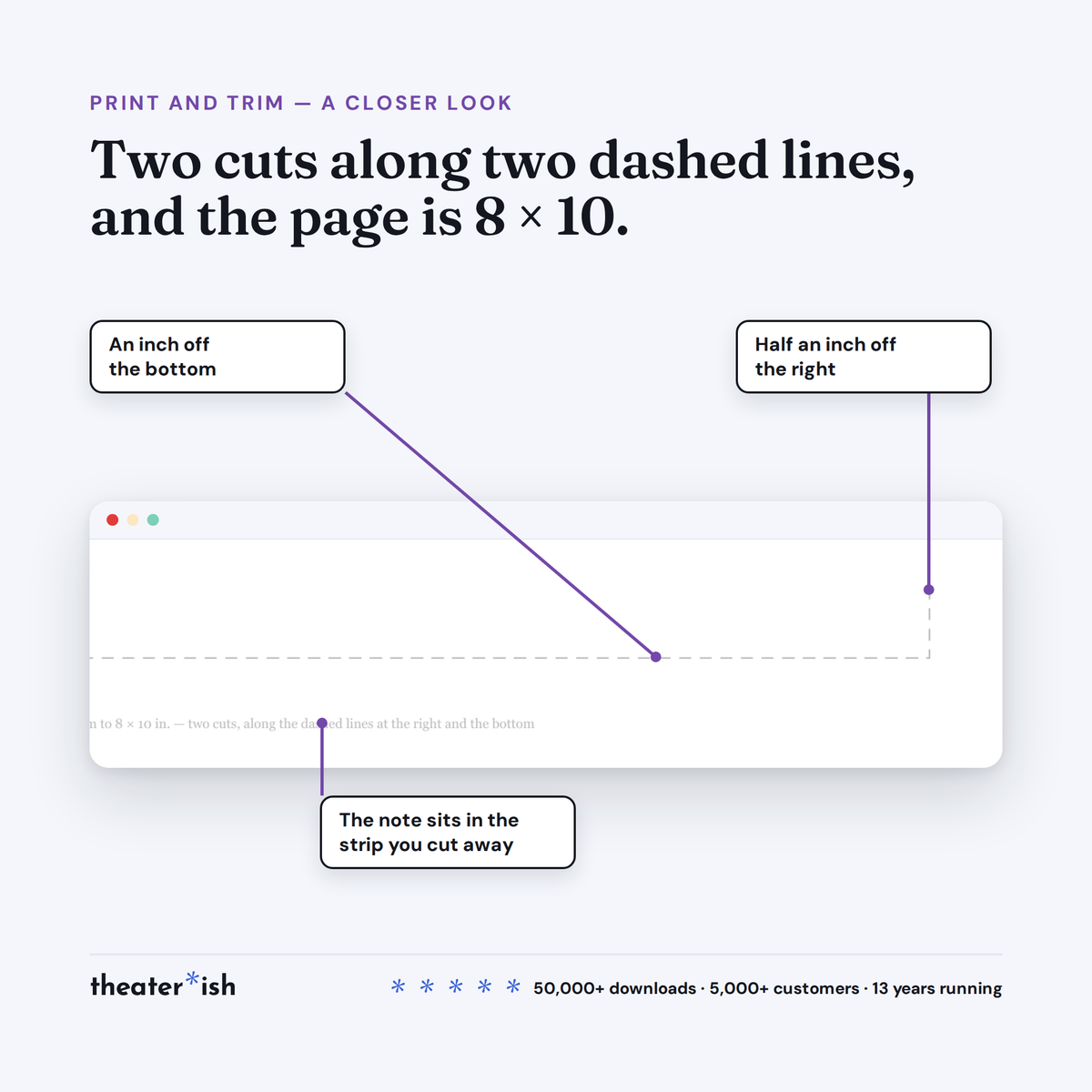
- Two dashed cut lines for the 8 x 10 trim, already on the page
About this product
An acting resume is the one document you hand to strangers as your own work. So this one carries nothing of ours on it: black ink, white paper, the format casting expects, and margins set for the 8 × 10 trim.
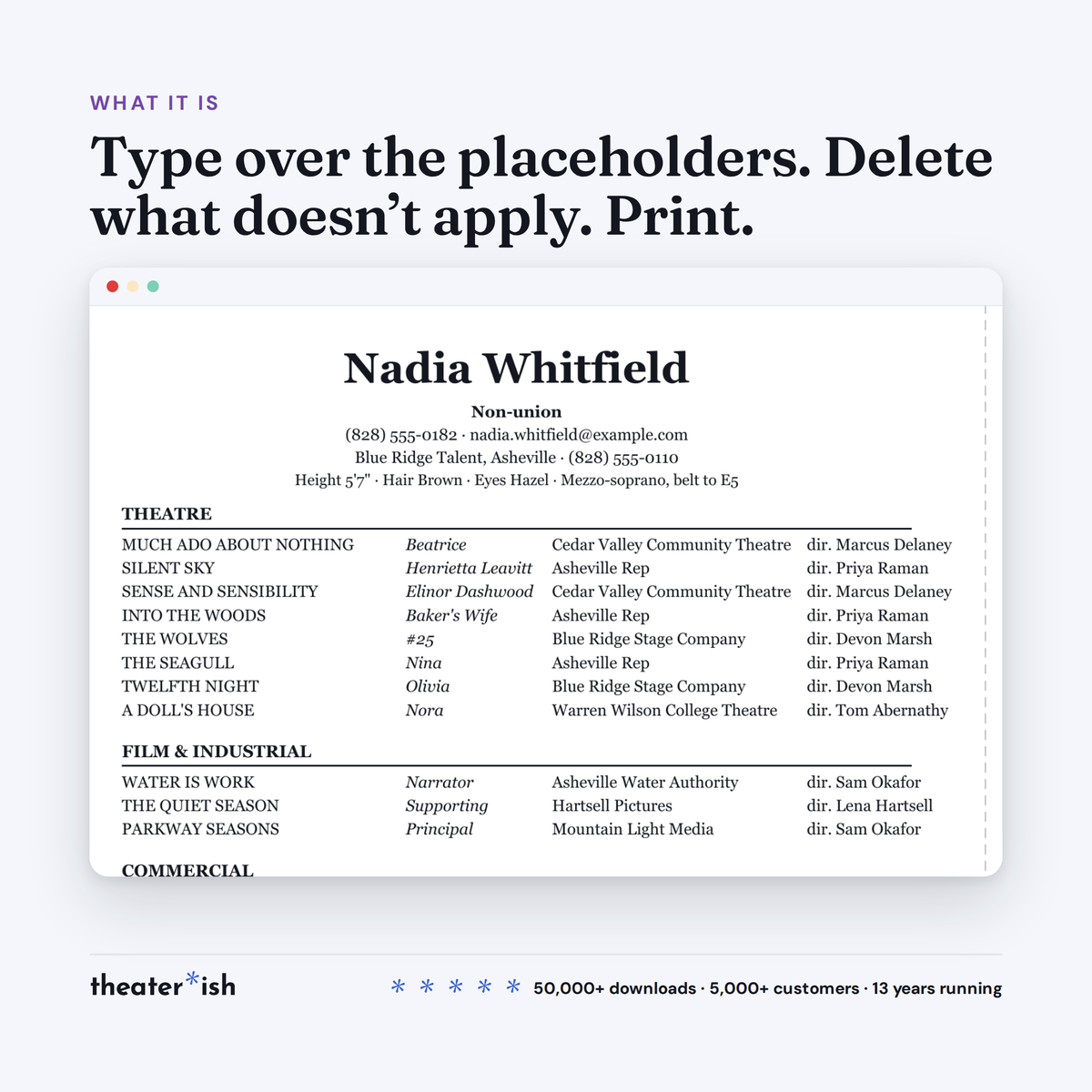
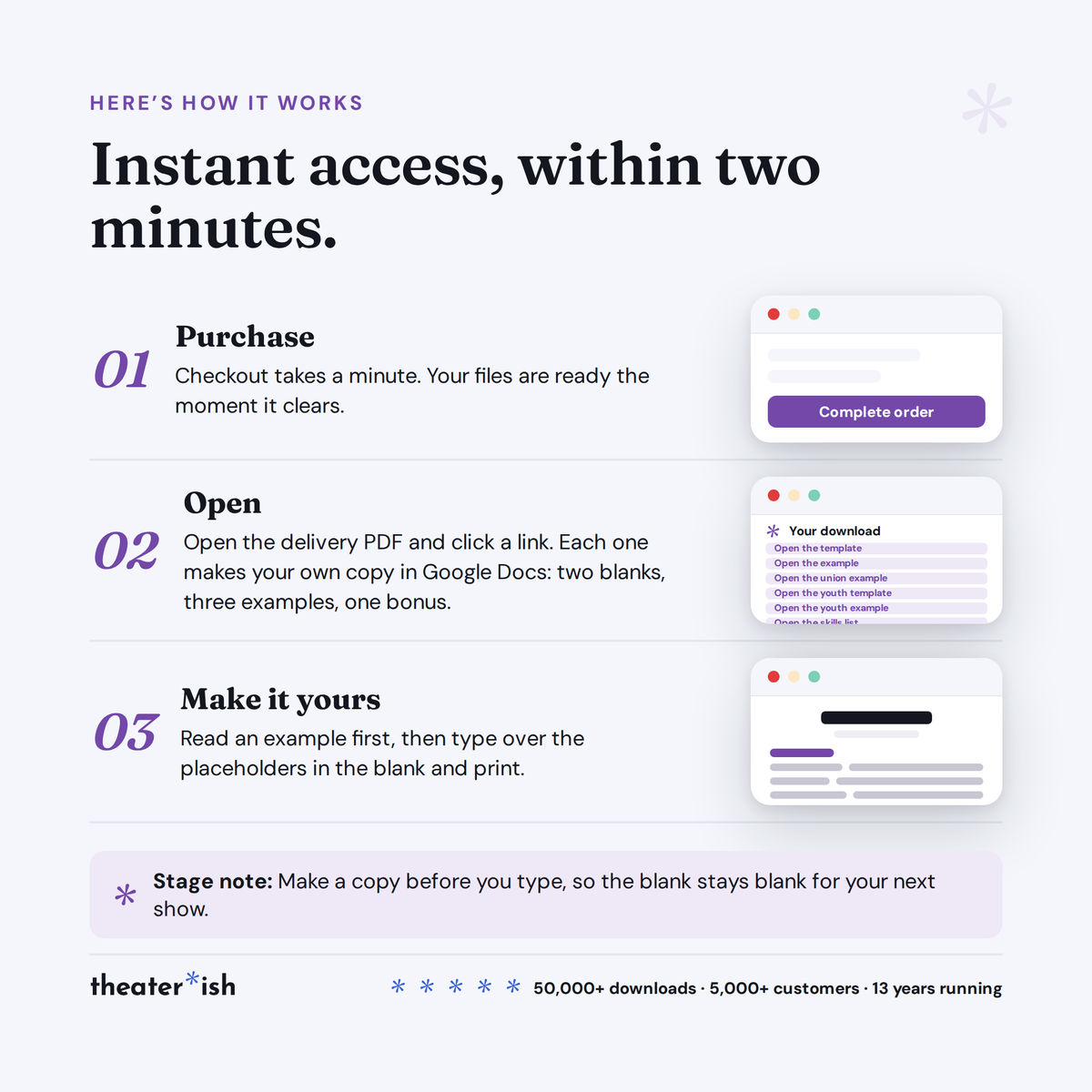
Six Google Docs and a Canva bonus. Make a copy, type over the placeholders, delete any line that doesn't apply, and print.
At a glance
- Format
- Google Docs
- Category
- Acting
- Access
- Lifetime · fresh copies anytime
- Delivery
- Instant download
- Best for
- Auditions and submissions
What's built in
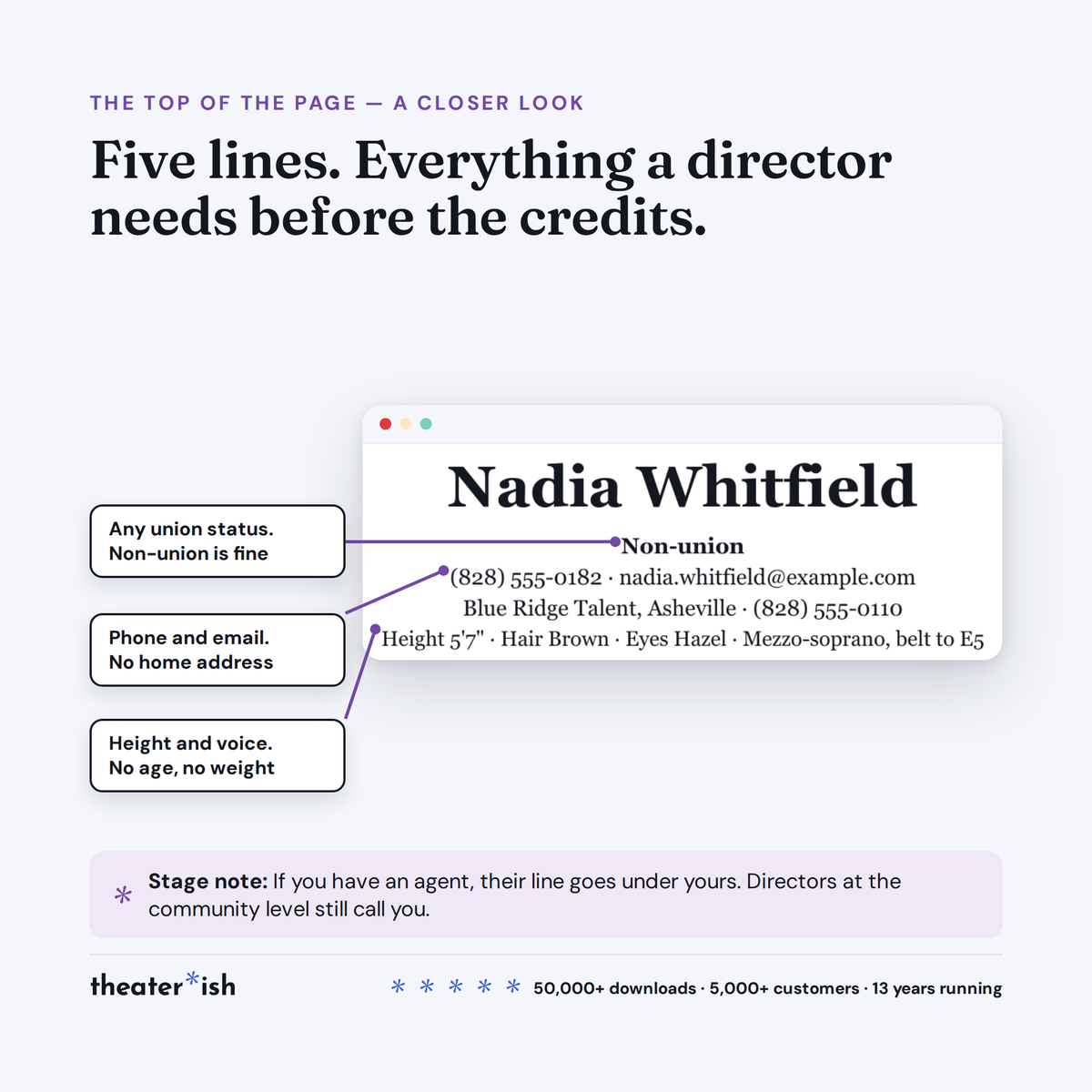
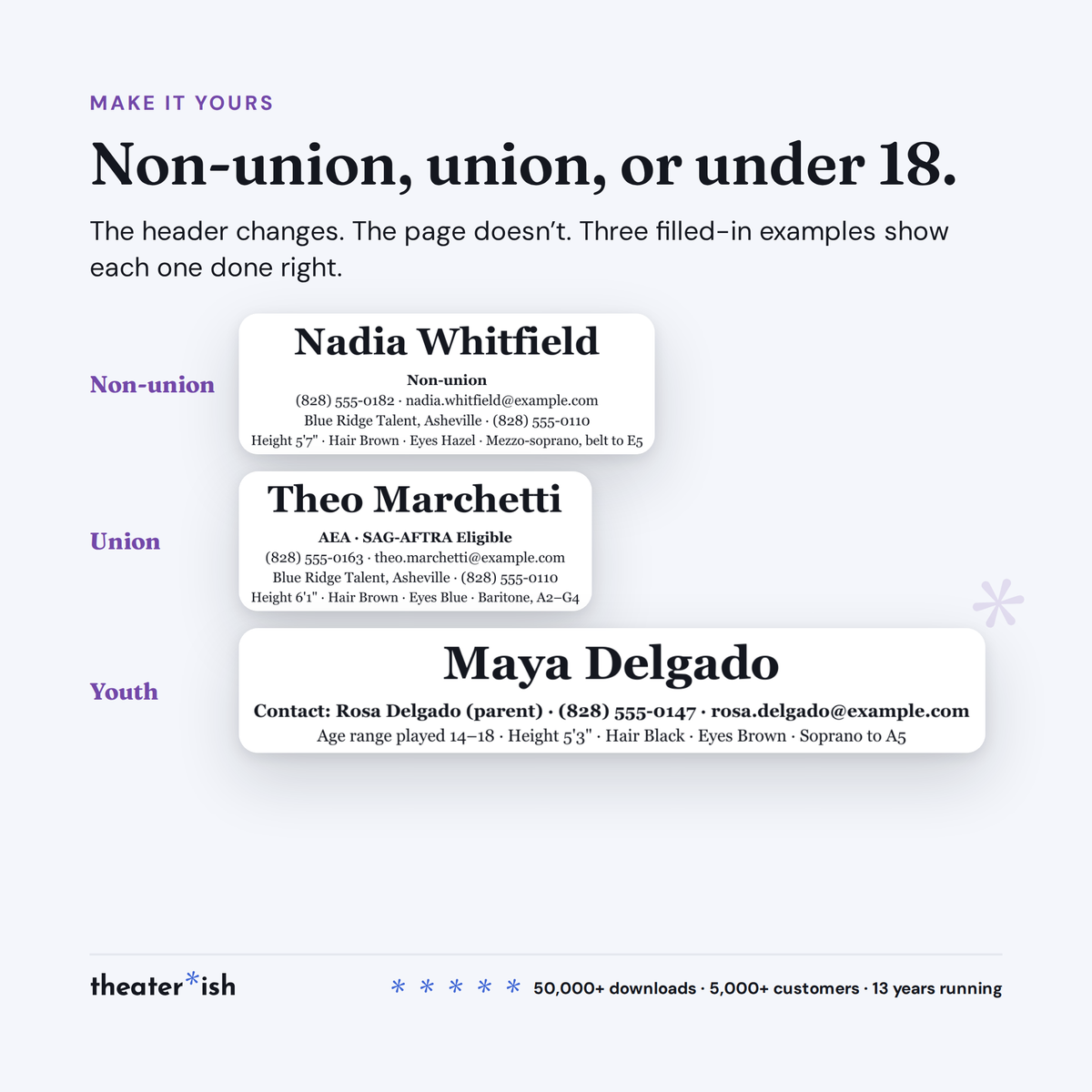
- The header block, in the order casting reads it. Name, union line, contact, representation, and one line of stats with room for a vocal range. No address, no age, no weight.
- Four credit columns that stay aligned. Show, role, company, director — a borderless table, so a long title never pushes the director's name off the line.
- The sections that belong, and none that don't. Theatre, Film & Industrial, Commercial (one line: conflicts available upon request), Training, Special Skills.
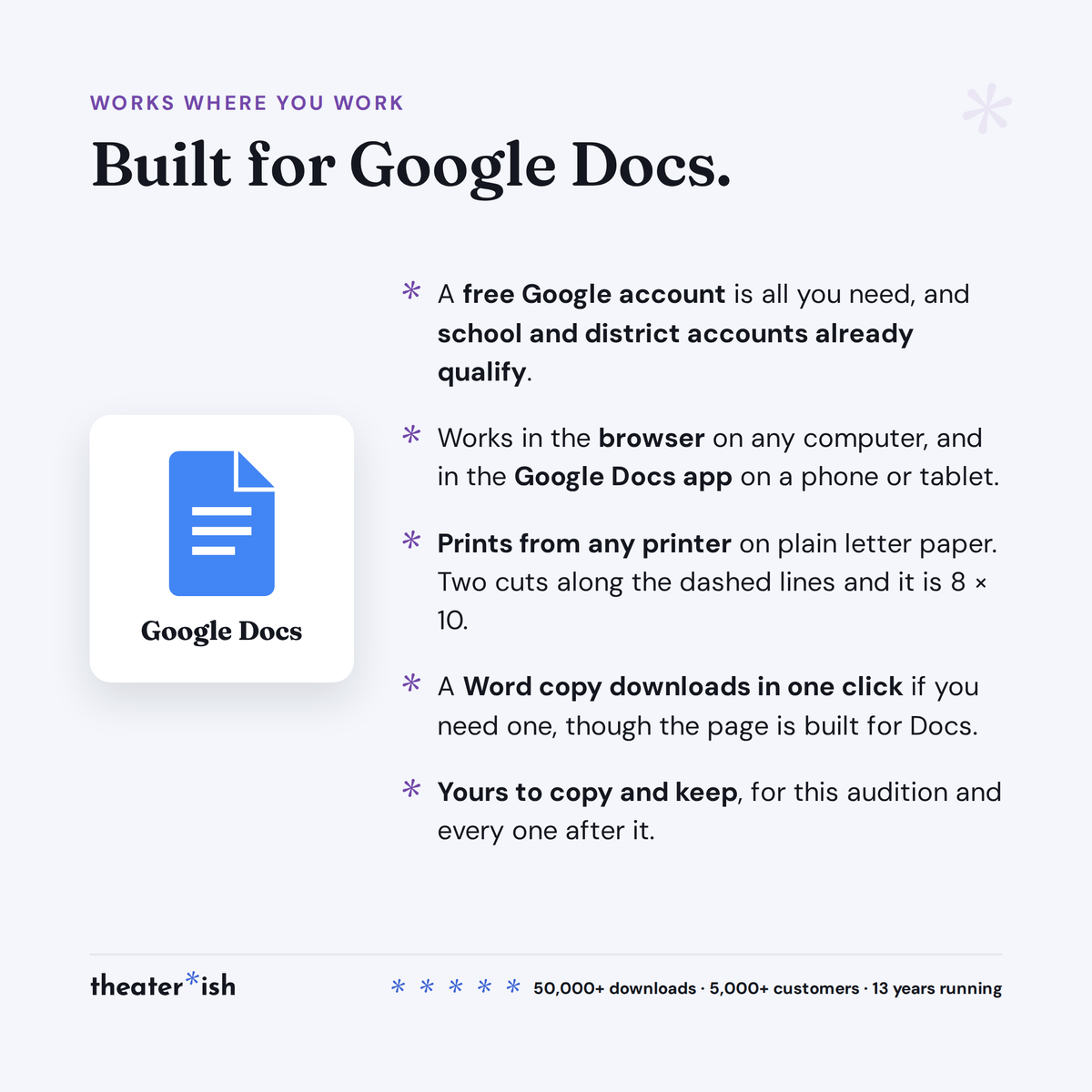
- Margins that already know about the trim. Print on letter paper and make two straight cuts along the dashed lines, one at the right and one at the bottom. The page is 8 × 10, the header is centered on the page you kept, and nothing was typed in the strips you removed.
- A bonus list for the last section. Two pages of special skills phrased the way they go on the page, from dialects and combat certifications to the odd and memorable, with one test for every entry: would you be glad to be asked to do it in the room, right now, with no warning?
- A headshot that matches it. A Canva template with three 8 × 10 layouts for the front of the packet — a white band under the photo, a bordered version with a hairline keyline, and one with your name over the image — with the name set in the same face the resume uses. The two halves read as one document instead of two. A free Canva account opens it.
The seven files
| File | What it is |
|---|---|
| Adult Template | The blank, with placeholder text where your details go |
| Adult Example — non-union | Filled in for a working non-union actor, so you can see the format doing its job before you touch it |
| Adult Example — union | Filled in for an Equity actor with an agent, two union designations on one line, television billing, and an MFA on the training list |
| Youth Template | For performers under 18: a guardian or teacher as the contact, an age range played, and no line for the student's own phone, email, address, or date of birth |
| Youth Example | Filled in for a high school performer, including how to write an ensemble credit and an understudy credit |
| Special Skills List | Bonus. Two pages of example entries by category, how to say the level, and what to leave off |
| Headshot Templates | Bonus, in Canva. Three 8 × 10 layouts for the front of the packet, with your name in the resume's face |
They come filled in
Nadia Whitfield, working regionally alongside community theatre, agented, non-union: eight theatre credits led by Beatrice at Cedar Valley, three on-camera credits with billing instead of character names, a training list, and a special-skills paragraph written the way the room wants to read it. Theo Marchetti, AEA, eight regional credits from Macduff to a new play, a Co-Star credit written the television way, and a combat certification with the weapons named. And Maya Delgado, a high school student with six credits across her school, a summer camp, and youth roles at the community theatre, with her mother on the contact line.
Every rule these templates follow, and how to print and staple the result, is in how to make an acting resume.
Common questions
Questions, answered.
Do I need Microsoft Office or Adobe to use these templates?
No. Theaterish templates are built in free tools — Google Sheets, Google Docs, and Canva. You don't need a paid Microsoft Office or Adobe subscription. You'll need a free Google account, and a free Canva account for Canva templates.
Is this a one-time purchase or a subscription?
It's a one-time purchase. You pay once and the templates are yours to keep and reuse for every show, season after season.
Can I reuse the templates for more than one production?
Yes. Every template is built to be reused — duplicate your copy for each new show and start fresh, as many times as you like.
How are the templates delivered?
Everything is digital. After checkout you'll receive access instantly — you copy each template into your own Google Drive or Canva account and make it your own. Nothing ships physically.
Can I customize the templates?
Yes. Every template is fully editable. Change colors, fonts, and content to match your production or program.
No courses, no homework
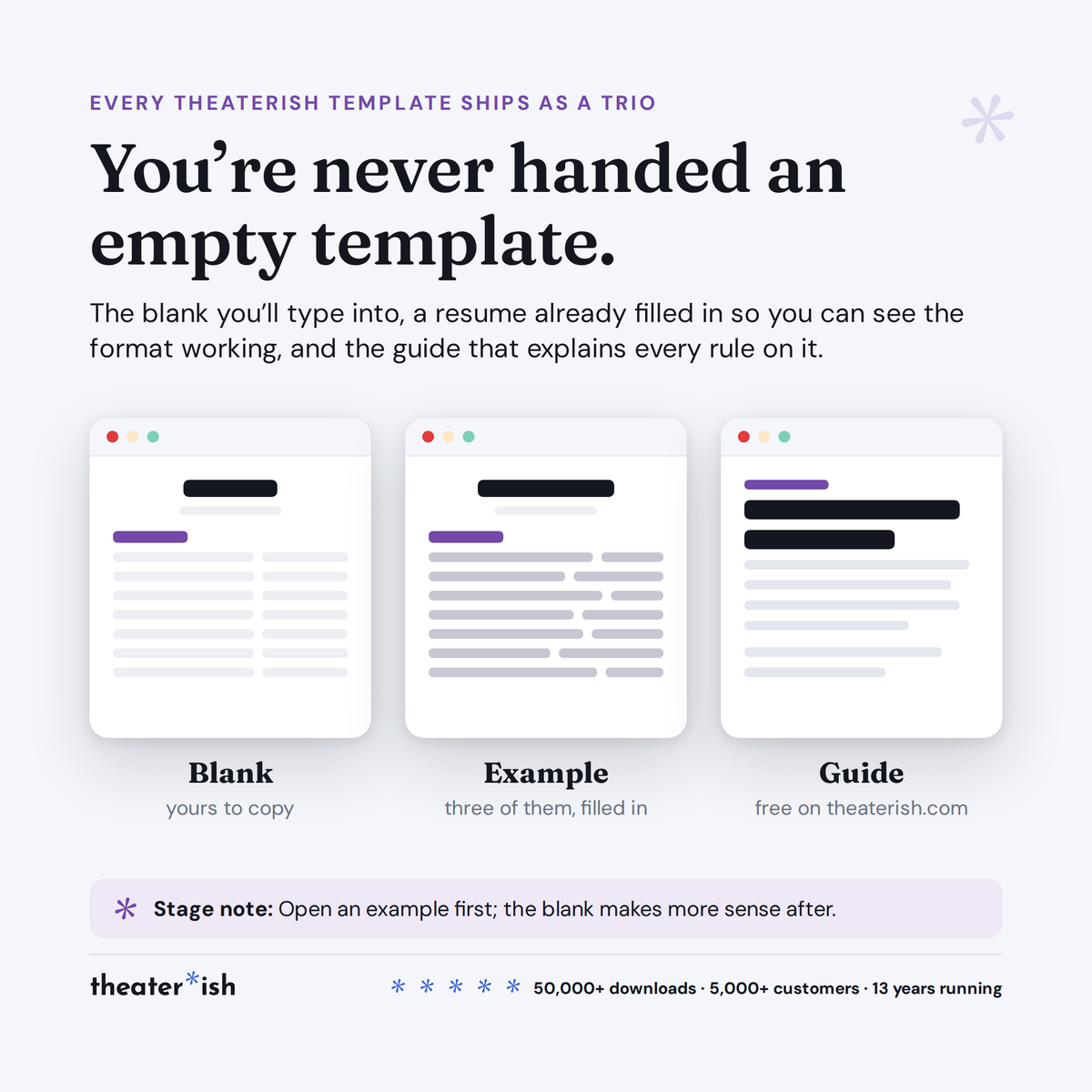
Every product is a trio.
The blank template
Clean and ready to fill in for your production this week.
A filled-in example
A real one, from an actual show — so you can see what done looks like.
A walkthrough
A short guided tour of the tool in use, start to finish.
What buyers say
Reviewed by people who've run the show.
“Set opening night once and every deadline fell into place. I stopped rebuilding this from scratch every season.”
“Handed it to a first-time SM and they ran with it — no training call needed.”
“The walkthrough answered the questions I didn't know I had. Worth it for that alone.”
Can't pick just one?
Bundle & Save
Mix and match any templates below, unlock an instant discount, and get everything you need in one go.