

Design & Tech
Costume Change Plot
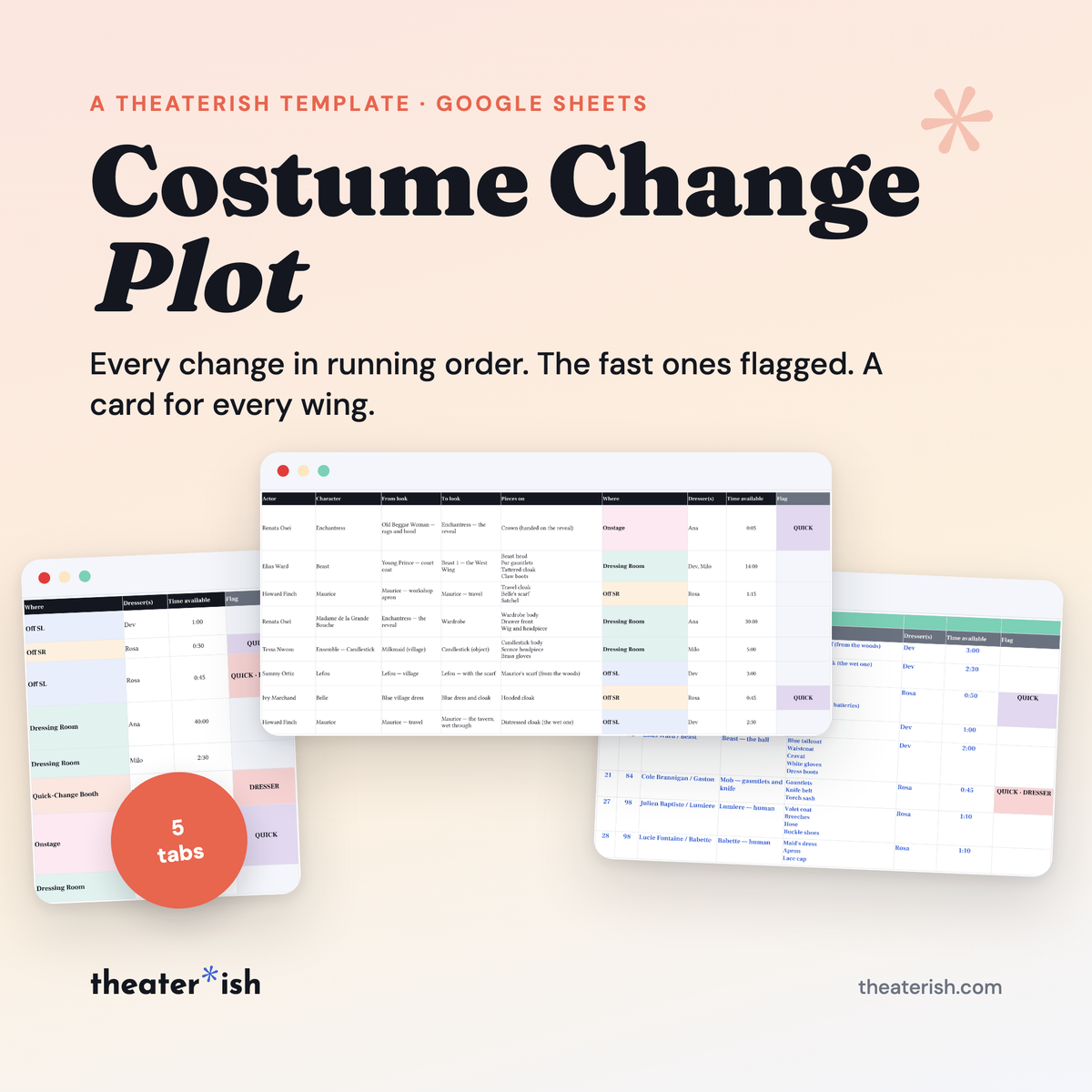
Every costume change in running order, with a QUICK flag under your own threshold, a dresser check, and a run card per place that writes itself.
What's inside
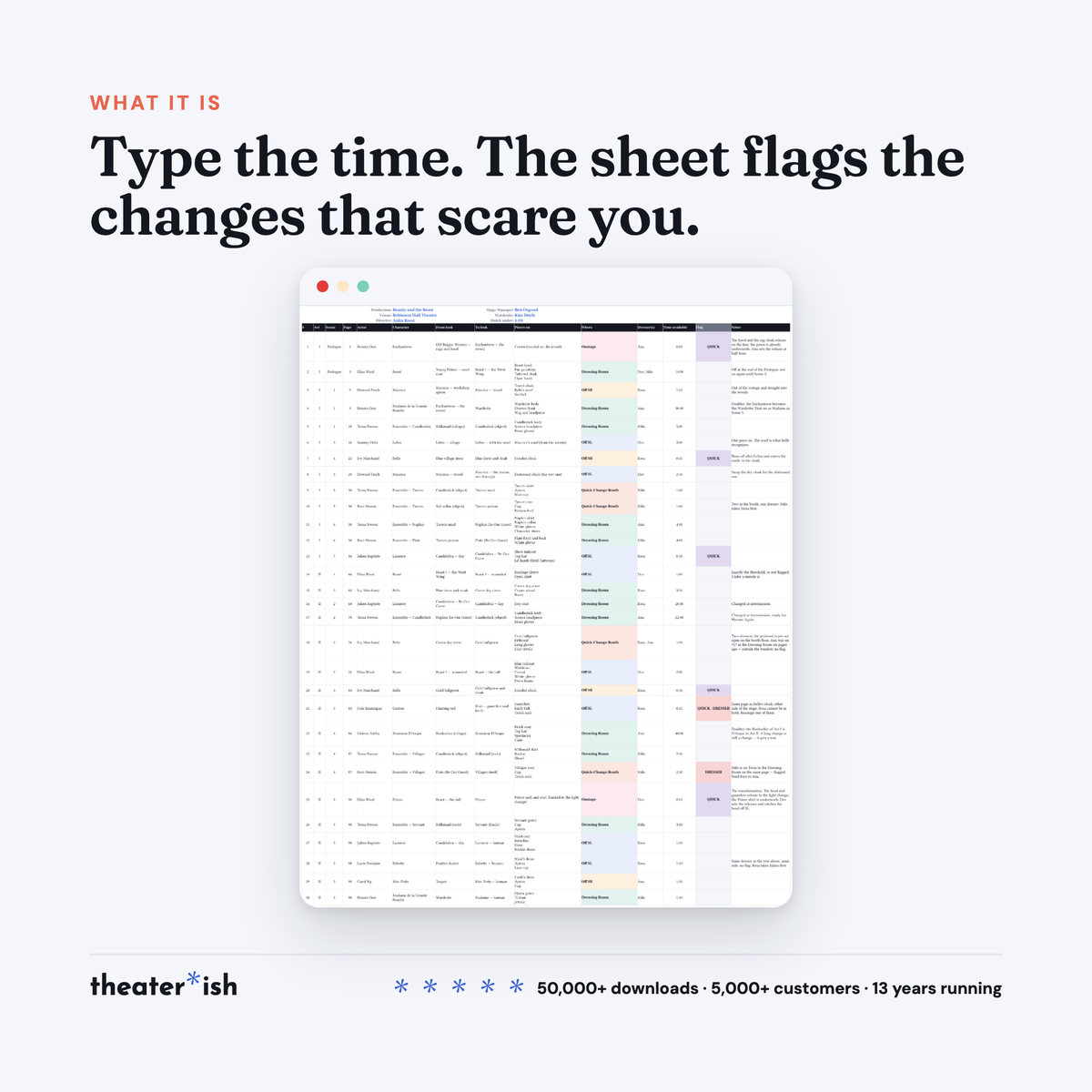
- Change Plot — 40 change rows, 14 columns, Where as a dropdown of five places
- Quick threshold and Dresser window you set once on Start Here
- Flag column that writes itself: QUICK, DRESSER, or both
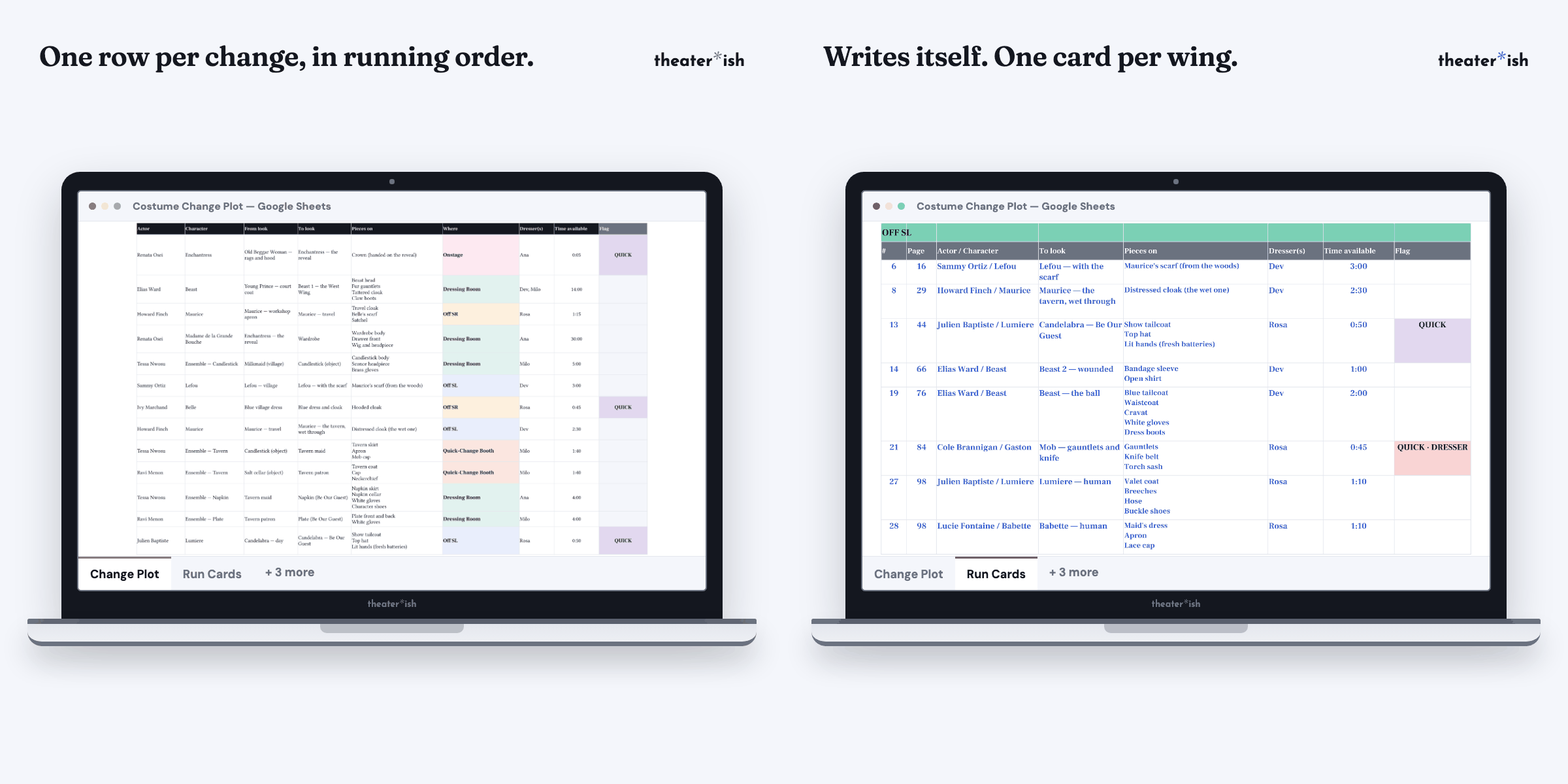
- Run Cards tab that writes itself, one card per place, each on its own printed page
- Filled-in Beauty and the Beast example: 30 changes, 12 actors, 4 dressers, every flag shown
- Seven-page walkthrough PDF
- Bonus: the Quick Change Tracker — a second Sheet for timing the tight ones, window vs. actual in seconds
About this product
Every costume change, in running order, with the fast ones flagged before tech week finds them.
It is the Wednesday before tech. The designer’s look list is done, the cast list is done, and somewhere in between is the thing nobody has written down yet: who changes, when, where, into what, and who is standing in the wing holding the pieces. Right now it lives in three people’s heads and a photo of a whiteboard. On Saturday it will live in the dark, at forty-five seconds a change, with a dresser sprinting from stage left to stage right because two changes landed on the same page.
This is the sheet that catches all costume changes and keeps them organized.
At a glance
- Format
- Google Sheets
- Category
- Design & Tech
- Access
- Lifetime · fresh copies anytime
- Delivery
- Instant download
- Best for
- Tech week for wardrobe
What’s built in
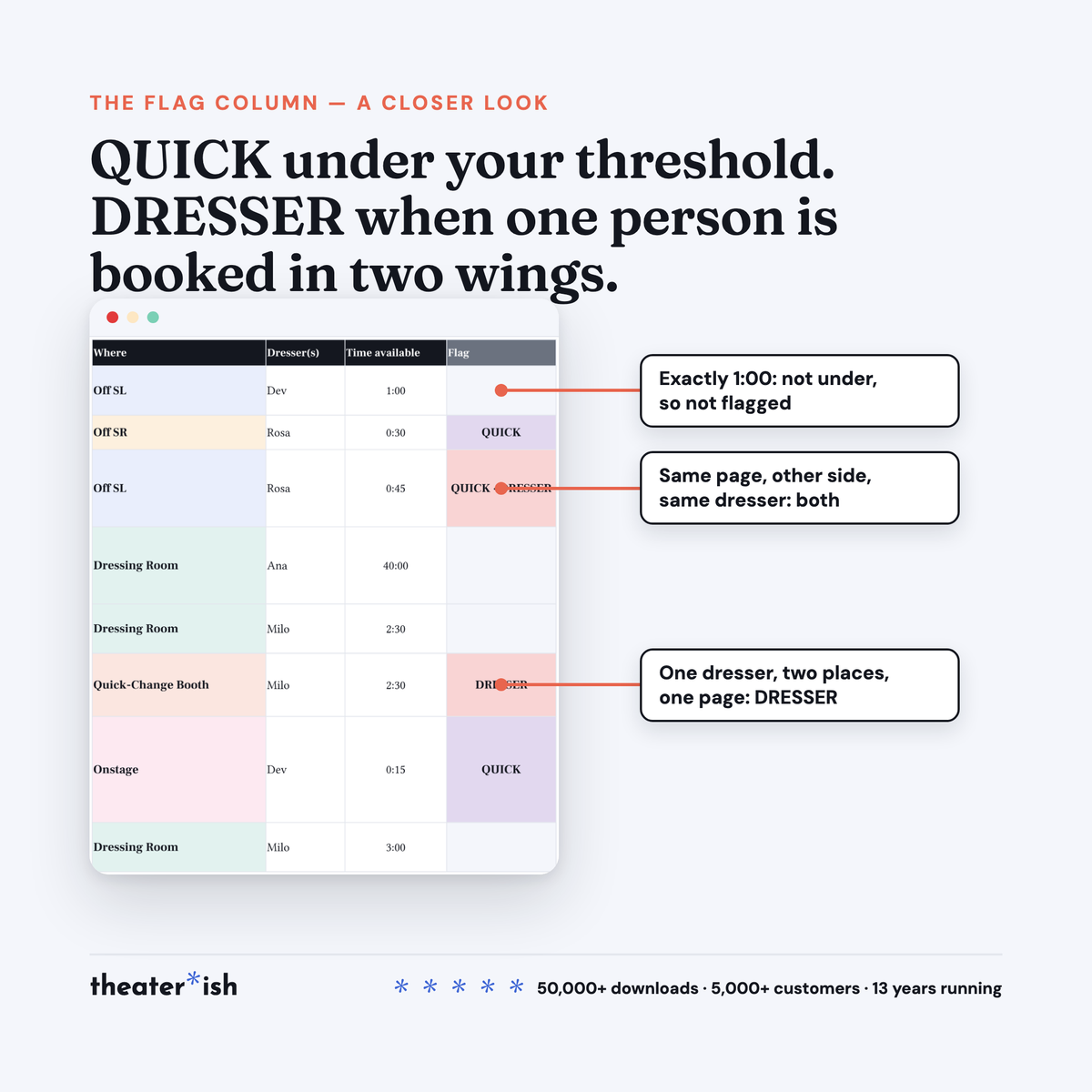
- A QUICK flag, under your threshold. One mint cell on Start Here, 1:00 to start. Anything with less time than that lights up on the plot and on the cards. A booth with two dressers can push it to 0:45; a costume with a head deserves 1:30. Change the cell and every flag follows.
- A dresser check. A dresser named on two consecutive changes in different places, within a page window you set, gets a DRESSER flag: they cannot be in both. Two pages is a walk between the wings with no time to spare. Twenty is a scene, and nobody needs a flag for that, so the window is yours too.
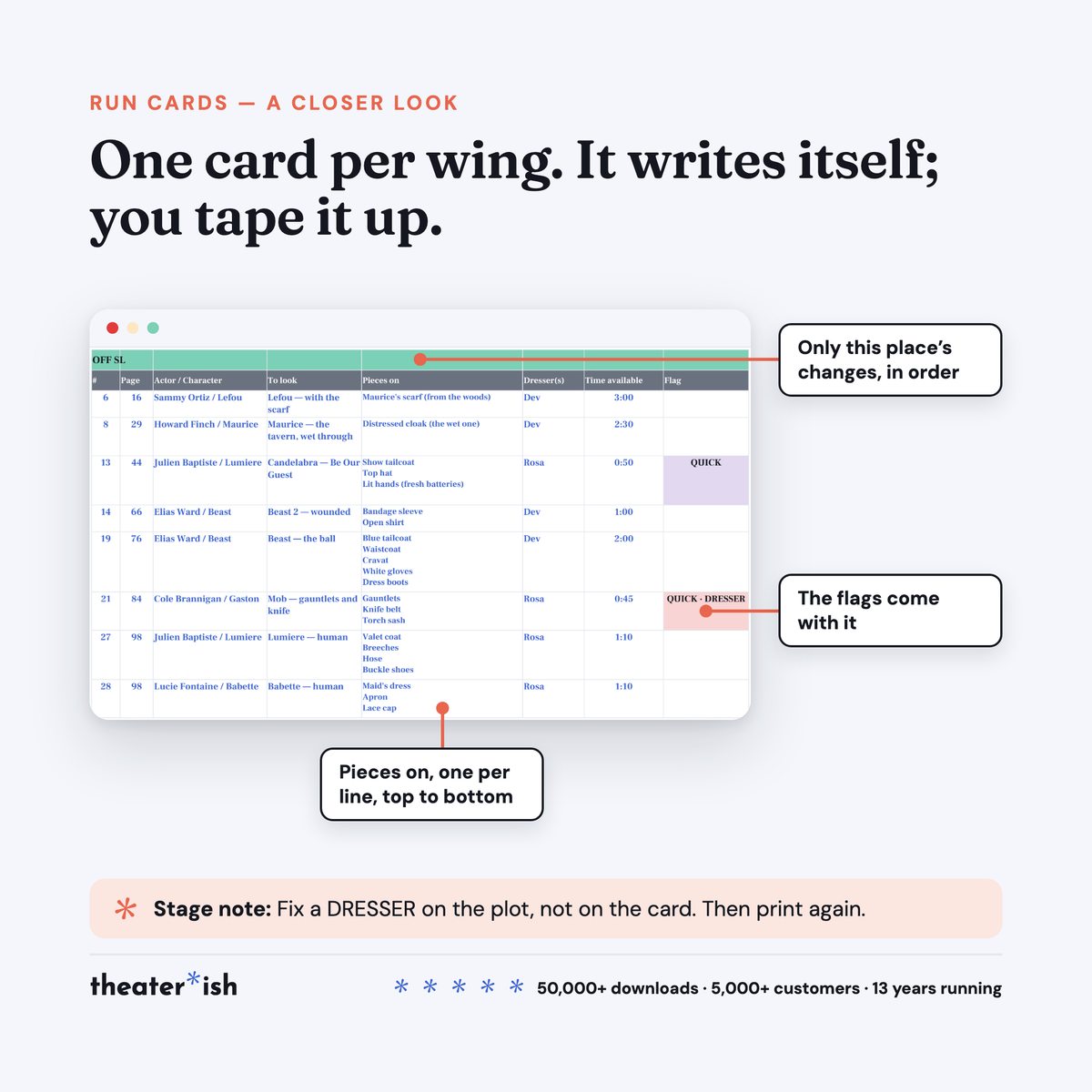
- Run cards that write themselves. One card per place: Dressing Room, Off SL, Off SR, Quick-Change Booth, Onstage. Only that place’s changes, in running order, with the pieces, the dresser, the time and the flags carried over. Each card prints on its own page. When the plot changes in tech, print again; the cards are never edited by hand.
- Pieces on, one per line. What goes on, never what comes off. The dresser reads the list top to bottom with the pieces in their hands.
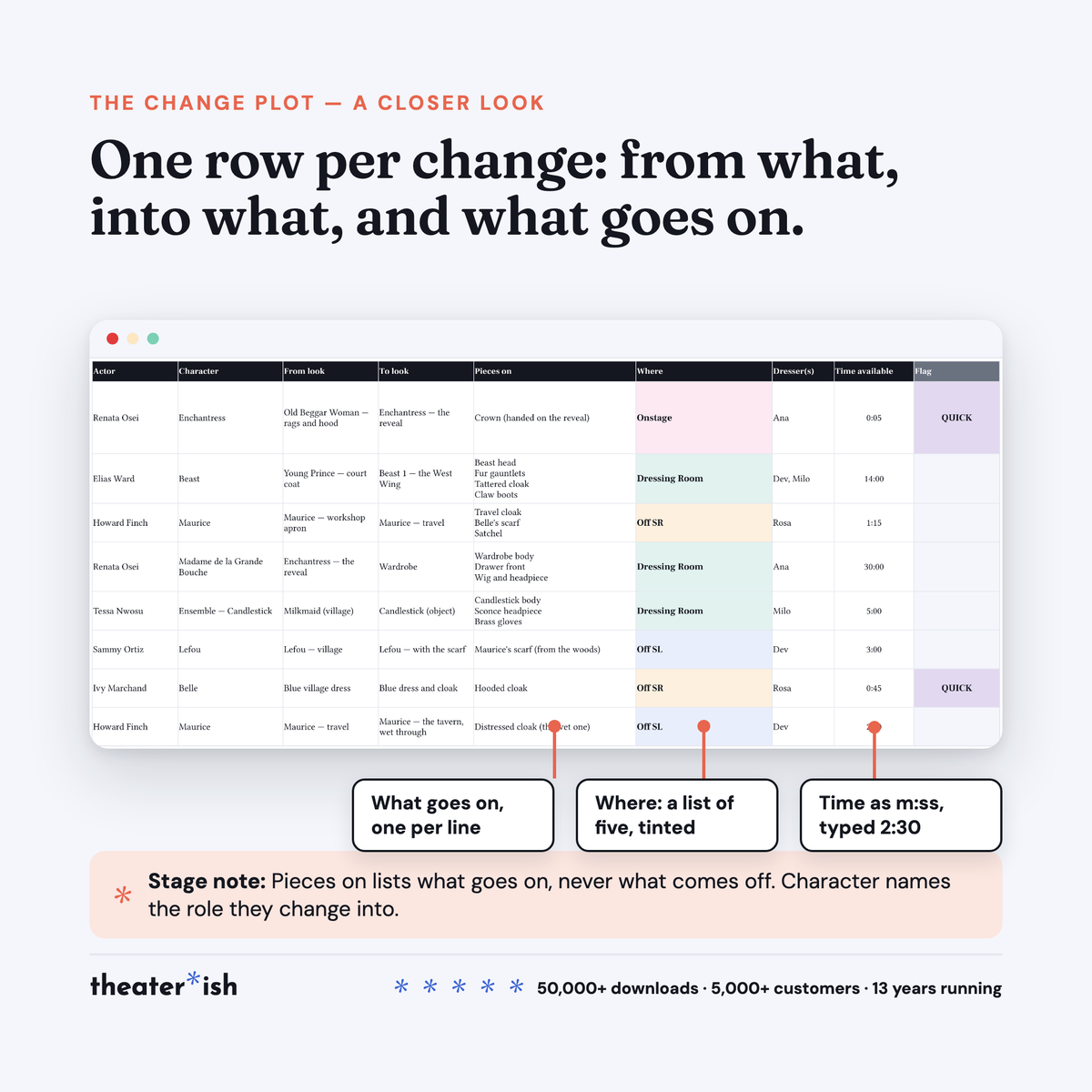
- Doublers and onstage transformations, plotted. Character names the role they are changing into; From look says what they leave. A reveal or a transformation in a light change is a row like any other: Where is Onstage, the time is the cover, and it flags QUICK, which it should.
- Where as a dropdown, tinted. Five places, one color each, so a dresser can scan the plot for their side.
Bonus: the Quick Change Tracker
The plot tells you which changes are quick. The tracker is for the ten or twelve that scare you: sit with the book and count the seconds between the exit and the re-entry, then put a stopwatch on the change in the room with the real shoes and the real dresser. Window, Actual, and the margin between them, with a status that goes red when it does not fit. A second Sheet, its own copy link on the download page, and the honest answer to where the time actually goes: it is almost never the garment.
The five tabs
| Start Here | The short instructions inside the file, and the two settings the flags read. |
| Change Plot | The grid you fill: 40 rows wired, 14 columns, one row per change. The Flag column writes itself. |
| Run Cards | Writes itself from the Change Plot. One card per place. Nothing to type. |
| Example Change Plot · Example Run Cards | The same two, filled in for Beauty and the Beast. |
The worked example
Beauty and the Beast at Robinson Hall Theatre, the same fictional house as the Character/Scene Breakdown’s Oklahoma!, with an invented company: 30 changes across two acts, 12 actors, 4 dressers by first name. Every place is used, Onstage twice: the Enchantress’s reveal in the Prologue and the Beast’s transformation at the end. Two doublers, including the Old Beggar Woman who becomes the Enchantress and then the Wardrobe. One ensemble track you can read straight down: milkmaid, candlestick, tavern maid, napkin for the big number, candlestick again, mob villager, servant at the finale.
And the flags, all three: a 0:45 change on the same page as another one, other side of the stage, same dresser, lit up QUICK · DRESSER, with the fix in the notes. A change at exactly 1:00, not flagged, because a minute is not under a minute. The same dresser six pages apart in two places, not flagged, because that is a walk.
Format
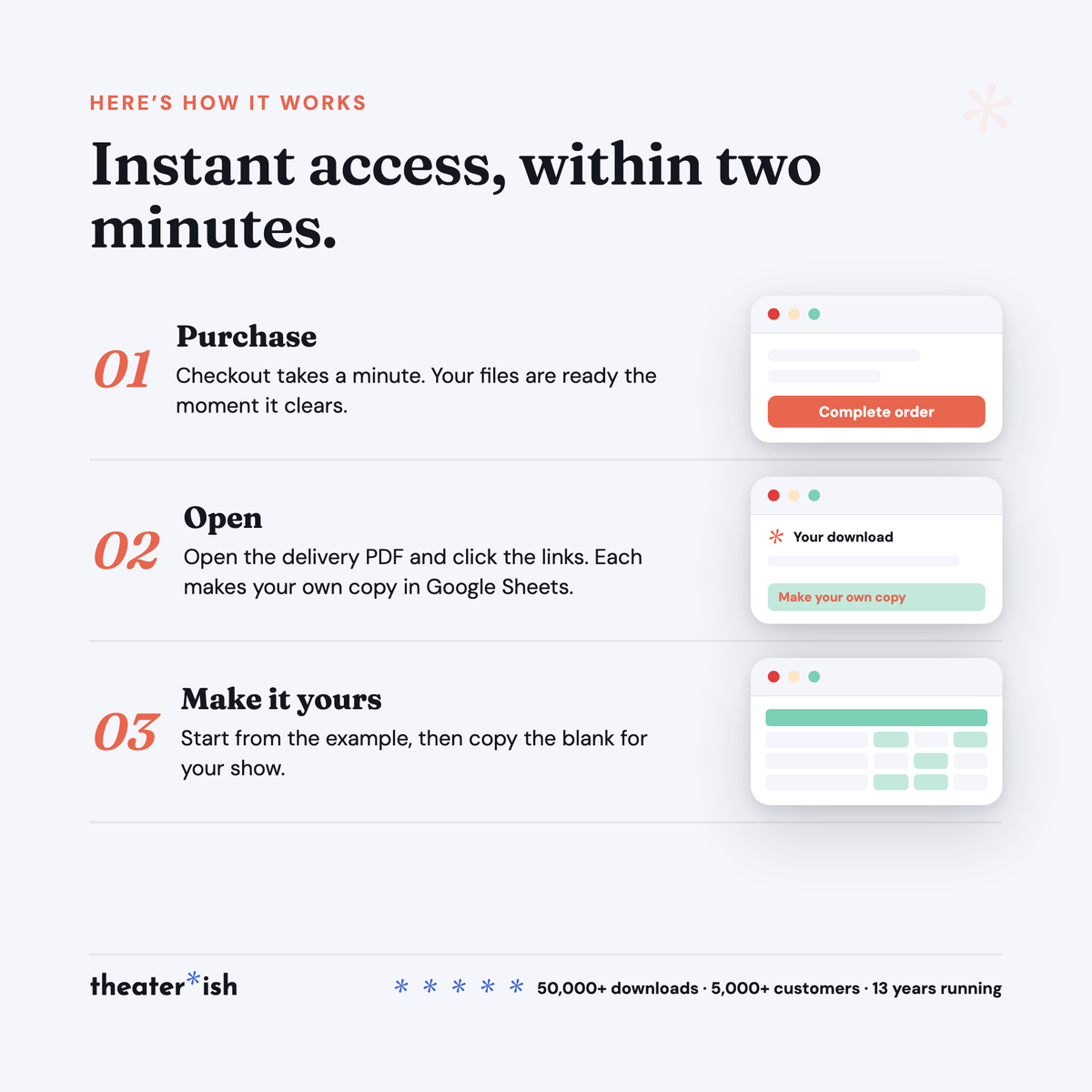
Google Sheets. The walkthrough PDF carries the copy link; the copy lands in your Drive and is yours to rename, share with the wardrobe crew, and reuse next show. A free Google account is all you need.
It opens in Excel via File ▸ Download. The plot comes across cleanly; the Flag column and the Run Cards tab are built on Sheets formulas and are the parts most likely to lose functionality. If you have the choice, use Sheets.
Delivered instantly: one Sheet, five tabs, a seven-page walkthrough that doubles as the download page, and the bonus Quick Change Tracker Sheet.
Who it’s for
Wardrobe heads and costume designers in school and community theatre, the week before tech. Stage managers who mark every QUICK in the calling script. The parent volunteer who said yes to dressing and has never seen a change plot. Anyone who has stood in a wing at 0:40 with the wrong shoes in their hands.
Tech week is going to happen either way. This is the difference between the changes running the room and the room running the changes.
Common questions
Questions, answered.
Do I need Microsoft Office or Adobe to use these templates?
No. Theaterish templates are built in free tools — Google Sheets, Google Docs, and Canva. You don't need a paid Microsoft Office or Adobe subscription. You'll need a free Google account, and a free Canva account for Canva templates.
Is this a one-time purchase or a subscription?
It's a one-time purchase. You pay once and the templates are yours to keep and reuse for every show, season after season.
Can I reuse the templates for more than one production?
Yes. Every template is built to be reused — duplicate your copy for each new show and start fresh, as many times as you like.
How are the templates delivered?
Everything is digital. After checkout you'll receive access instantly — you copy each template into your own Google Drive or Canva account and make it your own. Nothing ships physically.
Can I customize the templates?
Yes. Every template is fully editable. Change colors, fonts, and content to match your production or program.
No courses, no homework
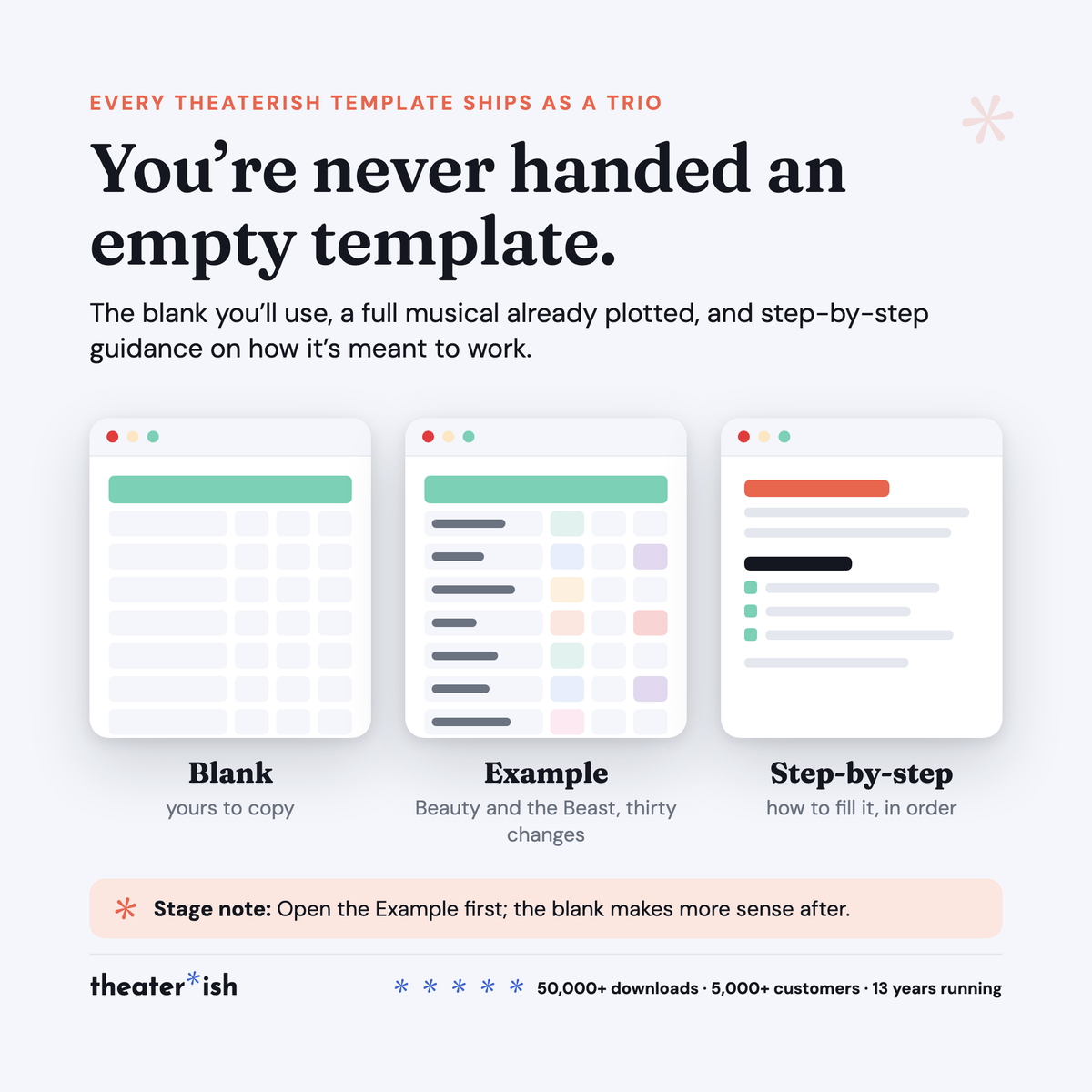
Every product is a trio.
The blank template
Clean and ready to fill in for your production this week.
A filled-in example
A real one, from an actual show — so you can see what done looks like.
A walkthrough
A short guided tour of the tool in use, start to finish.
What buyers say
Reviewed by people who've run the show.
“Set opening night once and every deadline fell into place. I stopped rebuilding this from scratch every season.”
“Handed it to a first-time SM and they ran with it — no training call needed.”
“The walkthrough answered the questions I didn't know I had. Worth it for that alone.”
Can't pick just one?
Bundle & Save
Mix and match any templates below, unlock an instant discount, and get everything you need in one go.