
Stage Management
Rehearsal Call Schedule
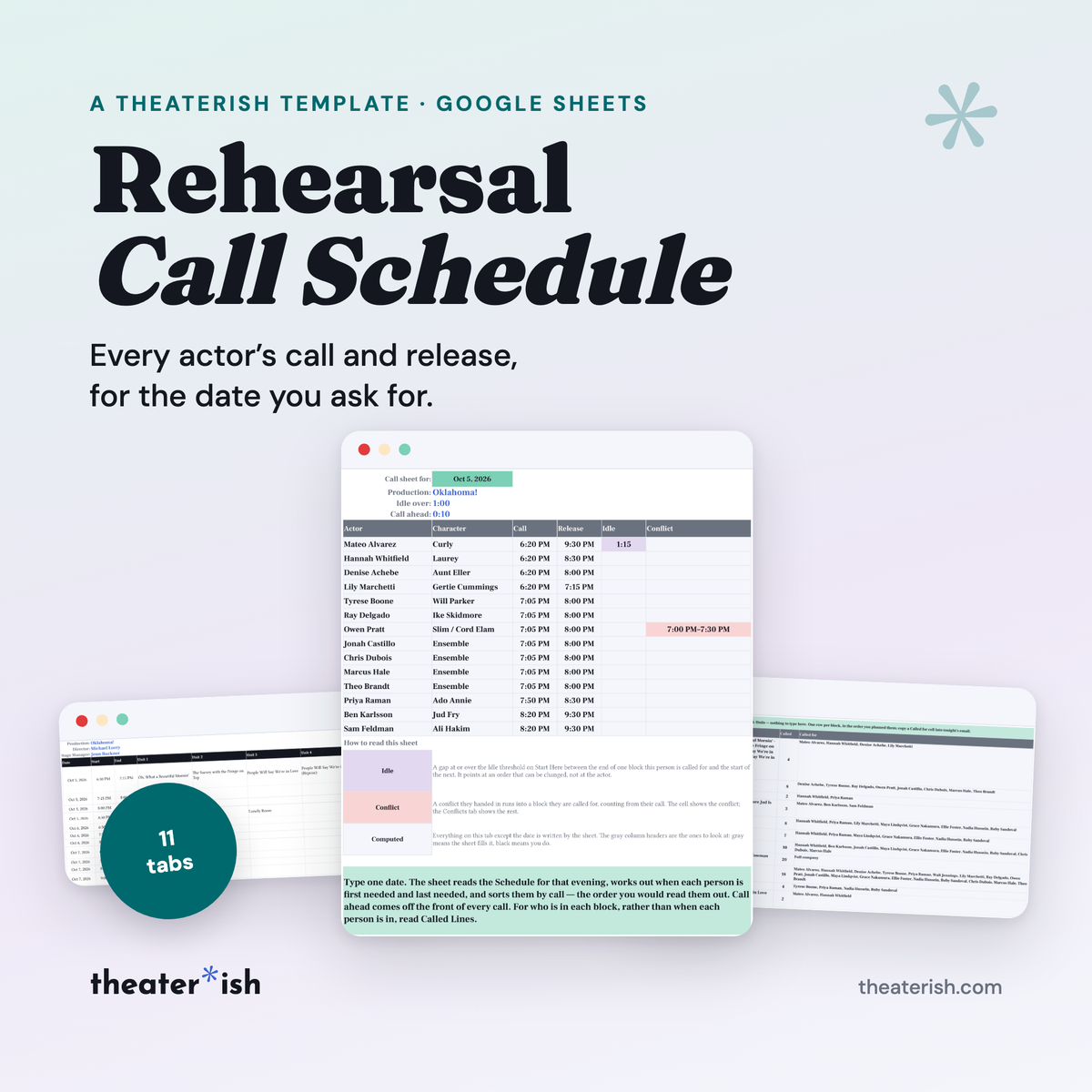
Plan the evening in blocks, mark who is in each unit, and the sheet writes every actor’s call and release for the date you ask for, sorted by call.
What's inside
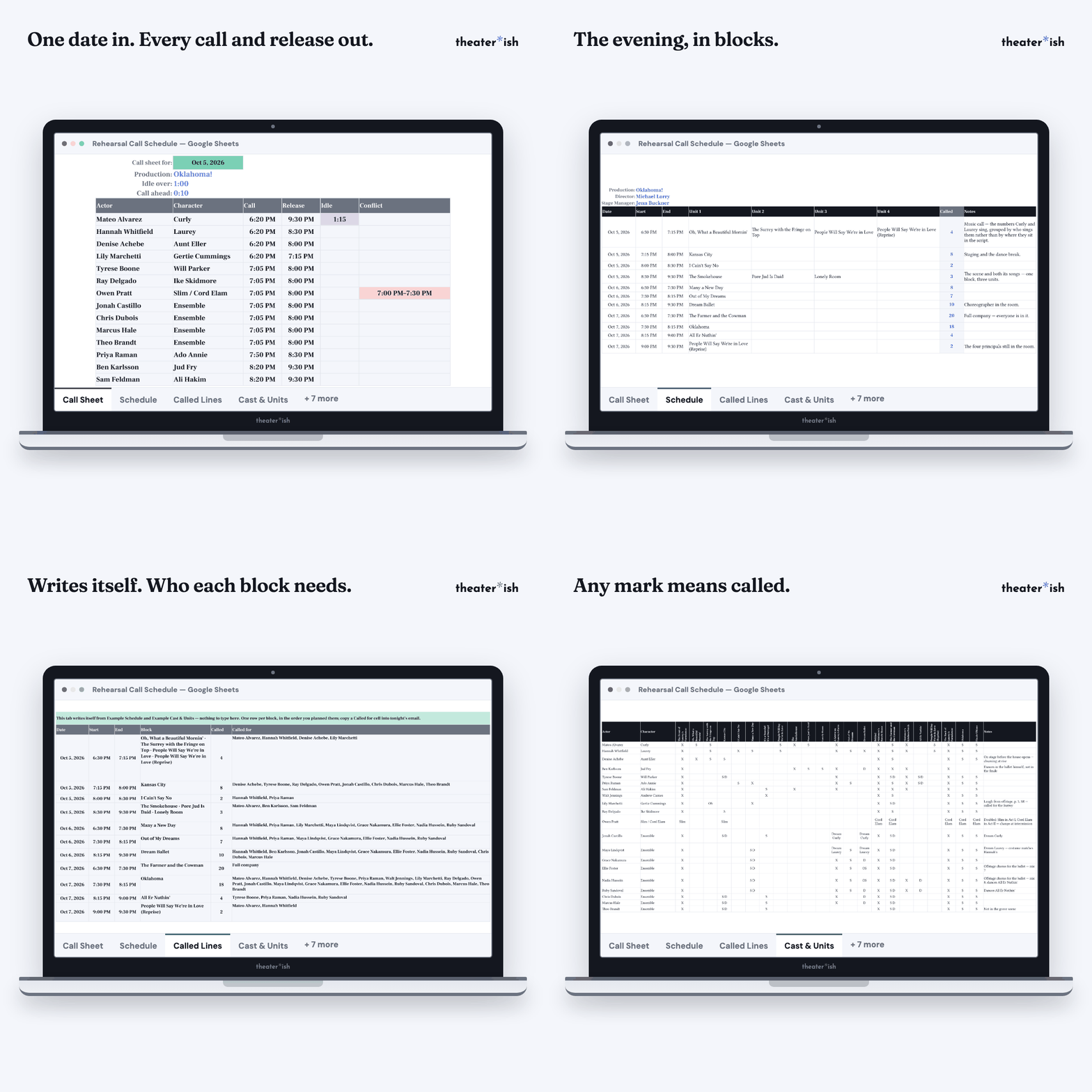
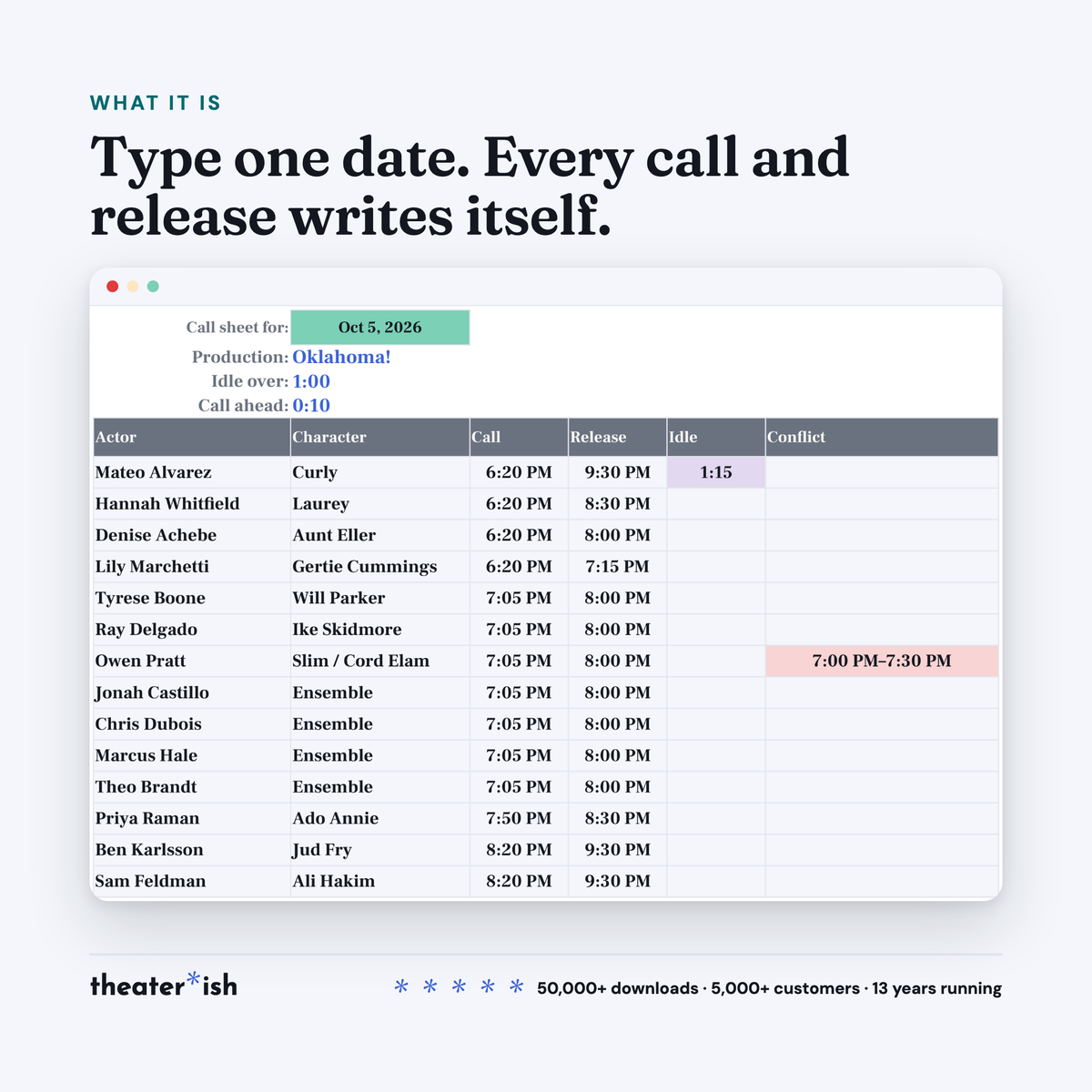
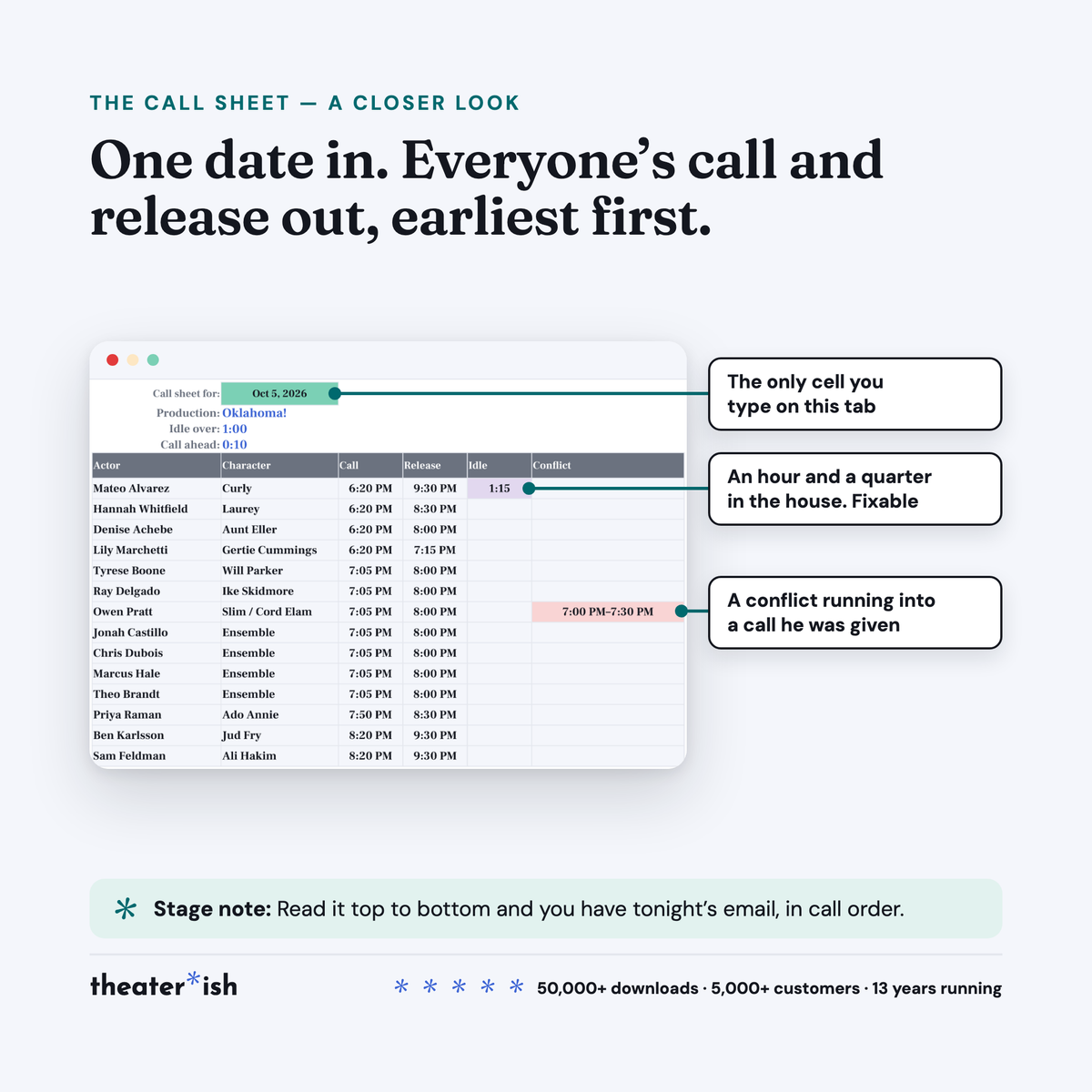
- Call Sheet that writes itself from one date: call, release, and two flags
- Idle flag on anyone left sitting for an hour
- Conflict flag when something they handed in runs into a block they are called for
- Cast & Units grid — 24 actors, 26 units, any mark means called
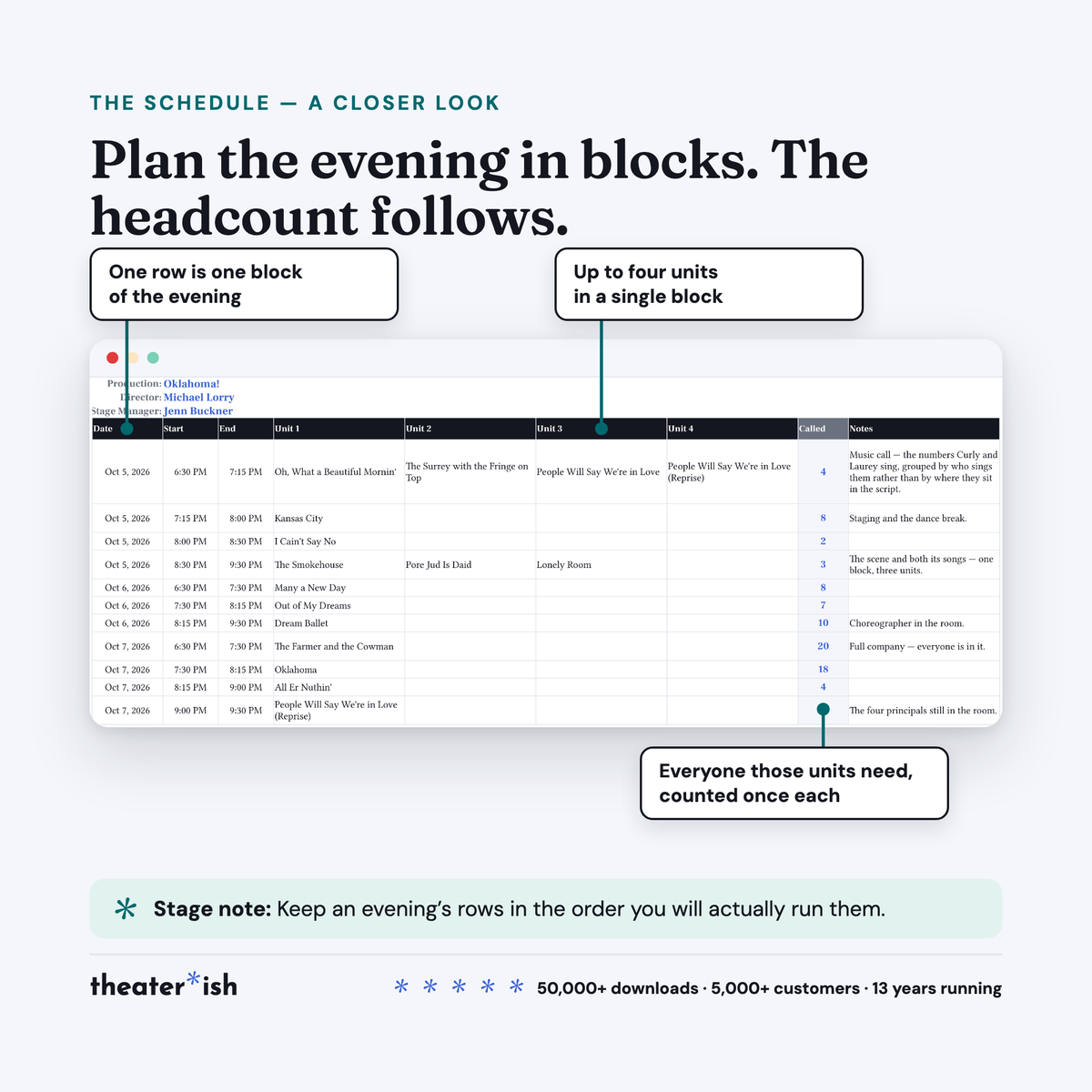
- Schedule — 24 blocks, up to four units each, headcount per block
- Conflicts tab, 24 rows, read past the bottom of the grid
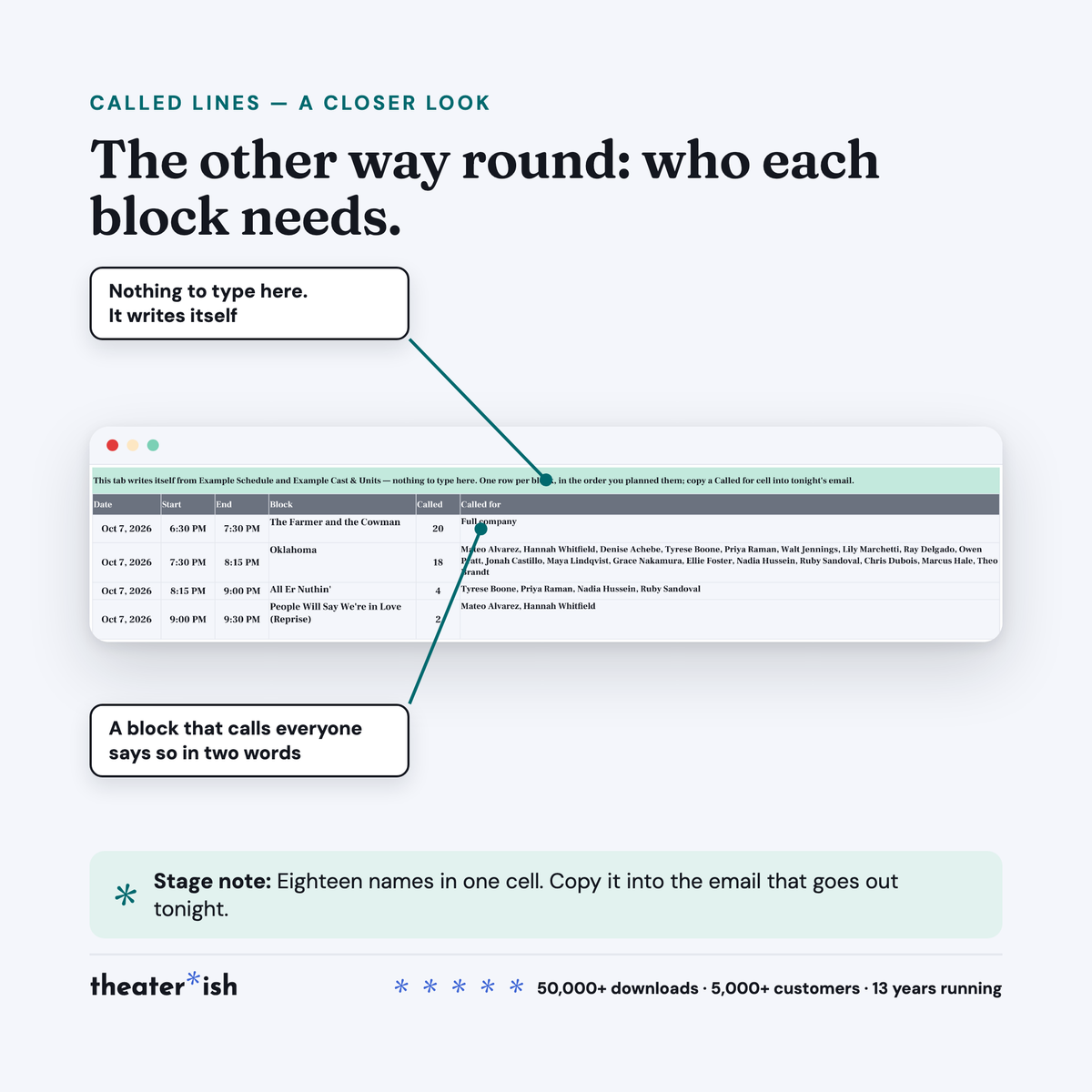
- Called Lines — who each block needs, in one cell to copy
- Filled-in Oklahoma! example, three evenings
- Seven-page walkthrough PDF
About this product
Saving stage managers headaches.
You already know what you are rehearsing tonight and who is in it. What you build by hand, every night, is the part the families ask about. Get it wrong and fourteen students sit in the house from 6:30 for a scene at 8:15, or an actor is called into a block they told you in August they would miss.
This sheet does that math for you. You plan the evening in blocks and pick the units each block works. It writes every actor’s call and release for the date you ask for, sorts them by call, and flags the two things worth knowing before you hit send.
At a glance
- Format
- Google Sheets
- Category
- Stage Management
- Access
- Lifetime · fresh copies anytime
- Delivery
- Instant download
- Best for
- Telling everyone when to be there
What’s built in
- Call and release, computed. The start of the first block that person is called for, and the end of the last. Sorted earliest call first, which is the order you would read them out.
- An idle flag. Anyone with a long gap between the blocks they are called for. An hour, by default, and you set that. It points at an order you can change, not at the actor: move a block, or call them for something in between, and it goes out.
- A conflict flag. You type the conflicts the cast handed you; the sheet checks them against the calls it just wrote. A conflict that ends exactly at their call, or starts after their release, is not a problem and is not flagged — which is the whole reason the column stays worth reading.
- Call ahead. If your company calls everyone ten minutes early for warm-ups or a sign-in, set it once and every call on the sheet reads ten minutes earlier. It moves the calls and the conflict check, and never the idle flag, which is measured on the blocks themselves.
- One rule about the grid. Any non-blank mark means called. An X, an S, a D, an OS, a character name, all the same. One rule, visible to the eye, which is why the times can be trusted.
- Called Lines, the other way round. One line per block: who that block needs, names in one cell you can copy into tonight’s email. A block that calls everybody reads Full company.
- A headcount before you book the room. Each block counts the people its units need, each person once, even when they are in two of them.
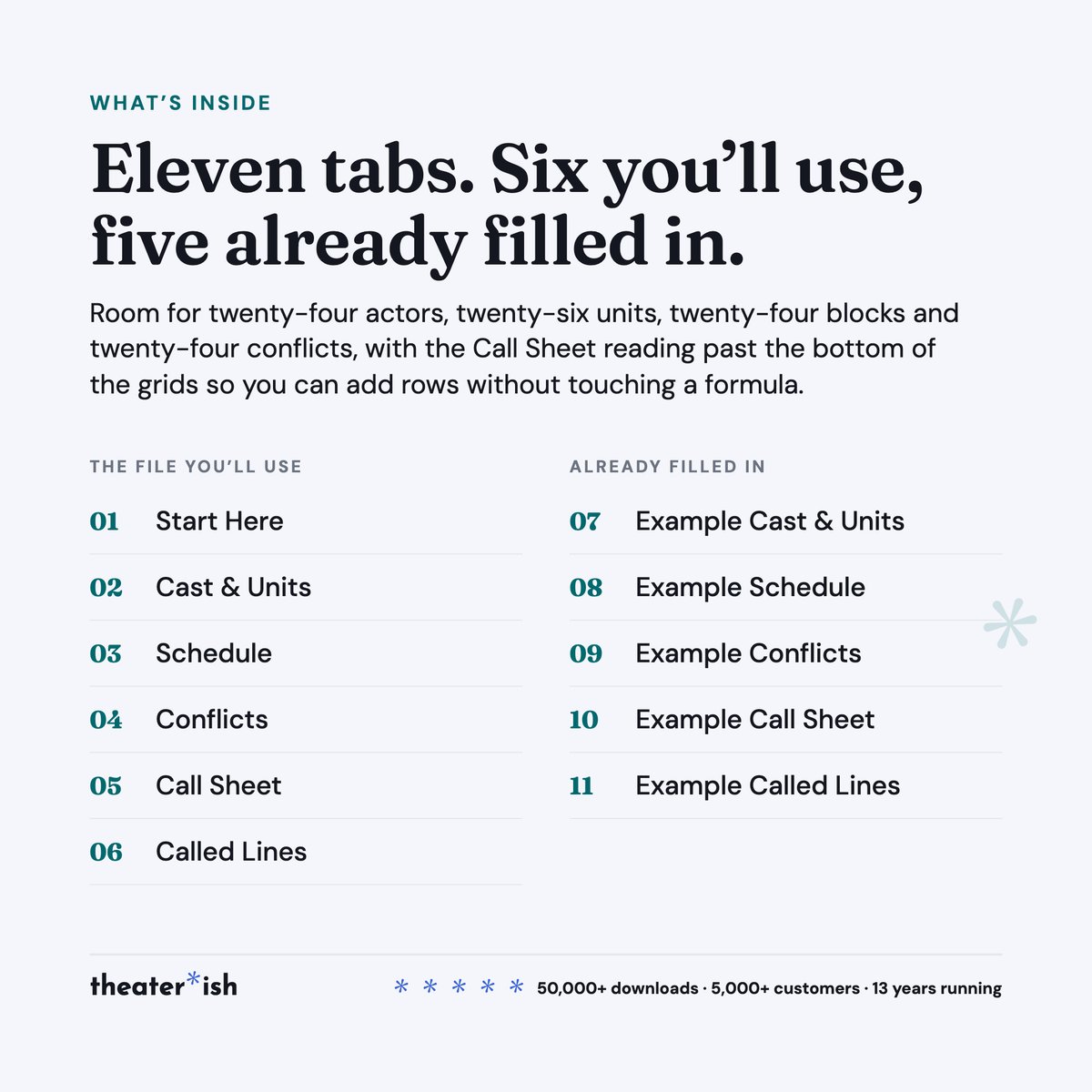
The eleven tabs
| Start Here | The short instructions, and the two settings the flags run on. |
| Cast & Units | The grid you fill: actors down, units across. Room for 24 and 26. |
| Schedule | One row per block — date, start, end, up to four units. 24 rows. |
| Conflicts | Who, which date, from when to when. 24 rows, and the Call Sheet reads past the bottom of the grid so you can add more without touching a formula. |
| Call Sheet | Writes itself from one date. Nothing else to type. |
| Called Lines | Writes itself from the Schedule. Nothing to type. |
| The five Example tabs | The same five grids, filled in for Oklahoma! |
The worked example
Oklahoma! at Robinson Hall Theatre — the same production and the same cast of twenty as the Character/Scene Breakdown. Three evenings, Monday to Wednesday, each running 6:30 to 9:30, eleven blocks between them, and five conflicts the cast handed in.
Monday raises the one idle flag: Curly sings four numbers at the 6:30 music call and is not needed again until the Smokehouse at 8:30 — an hour and a quarter in the house.
Two of the five conflicts are flagged and three are not, and the three are the more useful half. One actor is out all Tuesday and is not called Tuesday. One leaves at 8:45 and is released at 8:30. One is free from 7:05 and called at 7:05 — the same minute, which is not an overlap. A flag you can trust is a flag that stays quiet when nothing is wrong.
Change the date on the Example Call Sheet from Monday to Wednesday and the whole tab refills: twenty called instead of fourteen, and the second conflict appears. On Called Lines, Wednesday’s first block calls every filled row, so its line reads Full company rather than twenty names.
Format
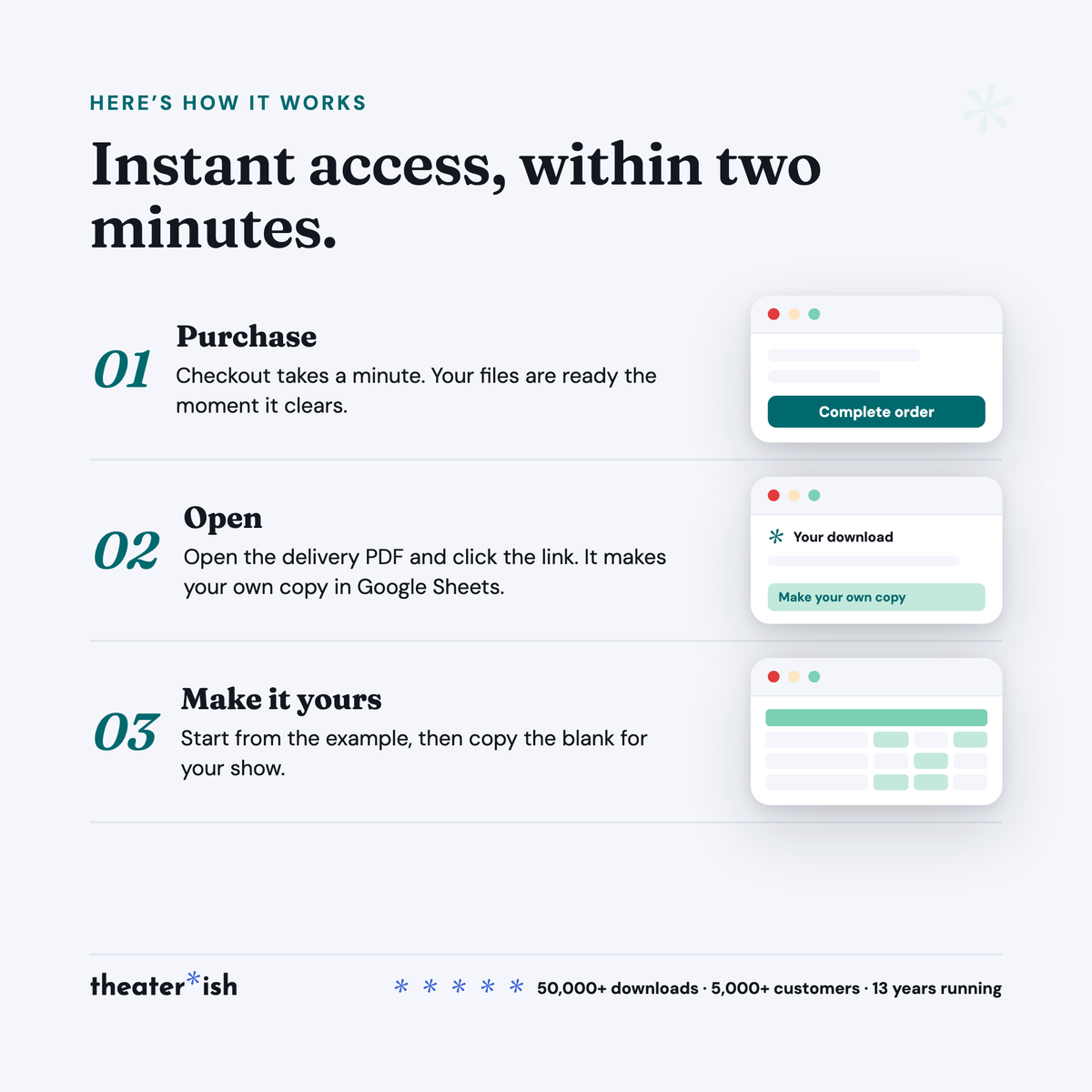
Google Sheets. The walkthrough PDF carries the copy link; the copy lands in your Drive and is yours to rename, share with the team, and reuse next show. A free Google account is all you need, and school and district accounts already qualify.
It opens in Excel via File ▸ Download. The grids come across cleanly; the Call Sheet is the part built on Sheets formulas and the part most likely to lose functionality. If you have the choice, use Sheets.
Delivered instantly: one Sheet, eleven tabs, and a seven-page walkthrough that doubles as the download page.
Who it’s for
Stage managers in school and community theatre, in the weeks of rehearsal — the person who writes the call every night. Directors who plan their own evenings and want to see who is sitting. Anyone who has sent out a call at eleven o’clock and found out at seven the next night that somebody had a game.
Common questions
Questions, answered.
Do I need Microsoft Office or Adobe to use these templates?
No. Theaterish templates are built in free tools — Google Sheets, Google Docs, and Canva. You don't need a paid Microsoft Office or Adobe subscription. You'll need a free Google account, and a free Canva account for Canva templates.
Is this a one-time purchase or a subscription?
It's a one-time purchase. You pay once and the templates are yours to keep and reuse for every show, season after season.
Can I reuse the templates for more than one production?
Yes. Every template is built to be reused — duplicate your copy for each new show and start fresh, as many times as you like.
How are the templates delivered?
Everything is digital. After checkout you'll receive access instantly — you copy each template into your own Google Drive or Canva account and make it your own. Nothing ships physically.
Can I customize the templates?
Yes. Every template is fully editable. Change colors, fonts, and content to match your production or program.
No courses, no homework
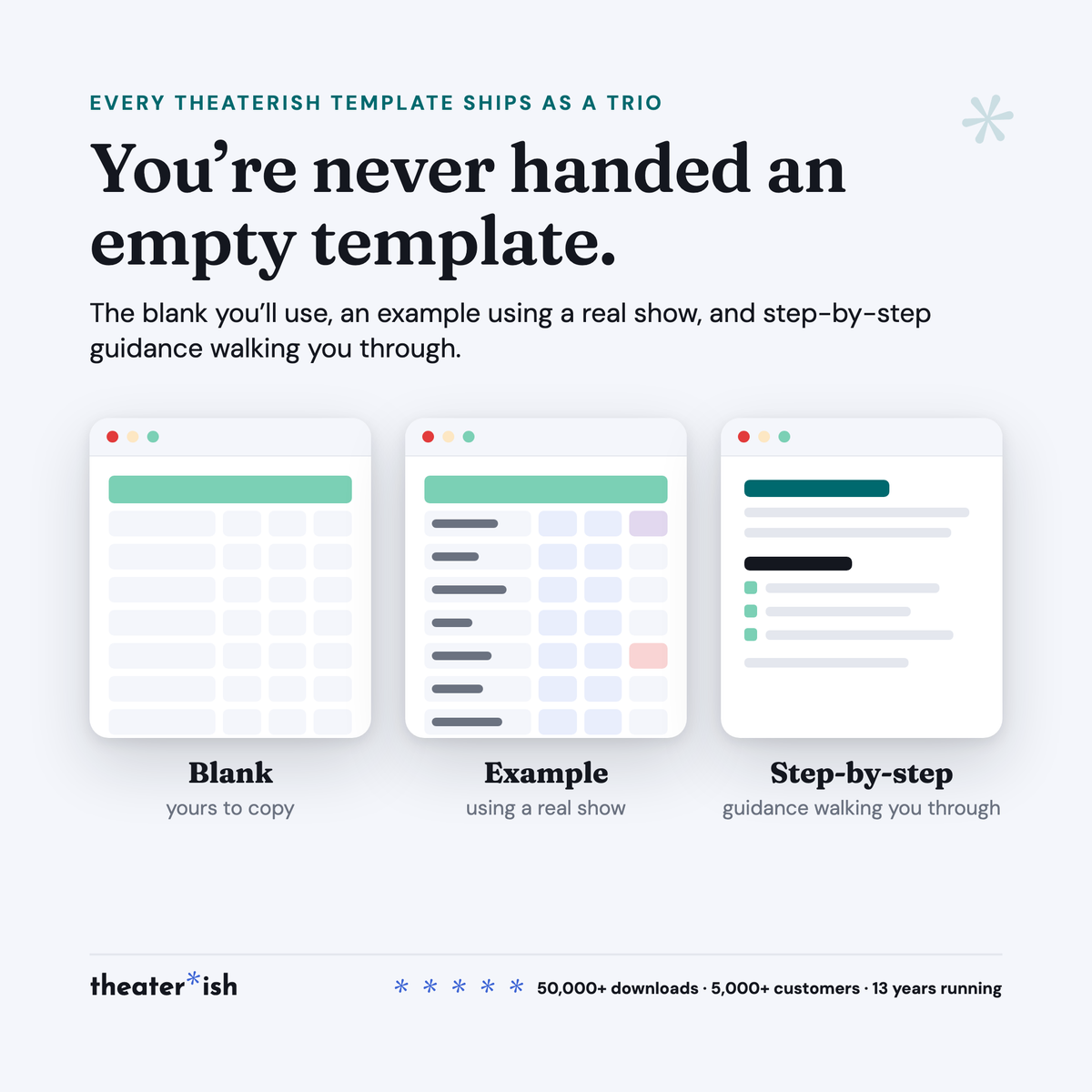
Every product is a trio.
The blank template
Clean and ready to fill in for your production this week.
A filled-in example
A real one, from an actual show — so you can see what done looks like.
A walkthrough
A short guided tour of the tool in use, start to finish.
What buyers say
Reviewed by people who've run the show.
“Set opening night once and every deadline fell into place. I stopped rebuilding this from scratch every season.”
“Handed it to a first-time SM and they ran with it — no training call needed.”
“The walkthrough answered the questions I didn't know I had. Worth it for that alone.”
Can't pick just one?
Bundle & Save
Mix and match any templates below, unlock an instant discount, and get everything you need in one go.